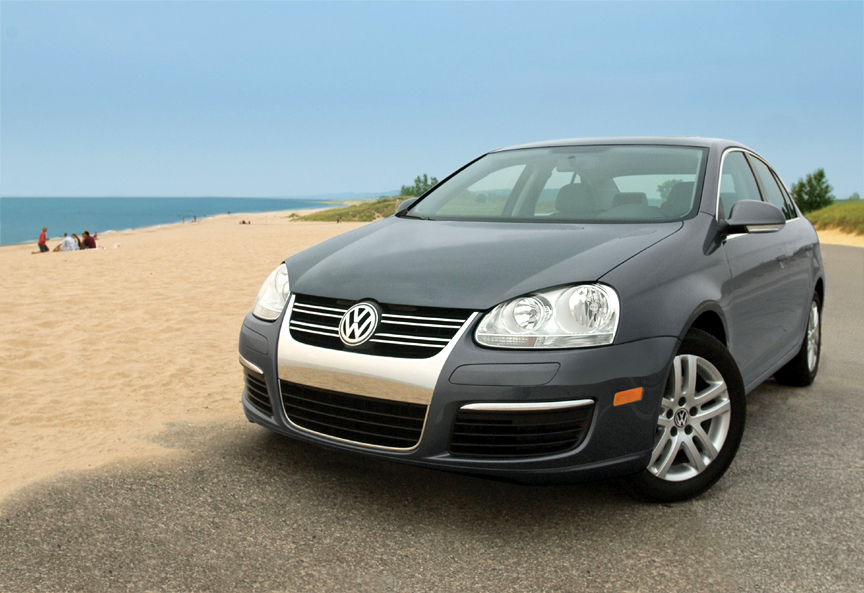
Ok, so this post is sort of a tease to North American Volkswagen enthusiasts, but it is still interesting to see what “might” eventually make its way to our shores. In the following short video clip, the “self-park” or “park-assist” feature which was only available in the Lexis is also available in the VW Tiguan — overseas. The Australian based reviewer, from AnyAutoTV, demonstrates right-hand drive Tiguan TDI self parking ability earlier this year in his YouTube video review. It is a pretty advanced feature that might eventually make its way to the U.S. … perhaps along with the ‘new’ clean diesel engine? The last word I’ve heard on the new Tiguan TDI was it didn’t meet the EPA requirements without exhaust gas after treatment — AdBlue or perhaps the new Honda system. (note that the TDI engine in the video has the traditional diesel clatter, unlike the the newer 2009 VW Jetta TDI Sedans and Sportwagens)
While stuck on the phone for part of the weekend trying to revive an email server for a client, a friend who was helping me asked if I still subscribed to EFAX or JFAX in order to receive and send faxes from my computer. My answer was ‘no’ since it was hard to justify another monthly subscription (now $16.95 (USD) a month) considering I have a fax machine at the office and one at home … AND because there are a other free options that can fill in the gaps.“Tell me how you do it,” he inquired. So here’s what I do, although if a reader has a better solution let me know.
I parted ways with my $72/yr “pay for” EFAX number a few years back, which offered a dedicated number for both receiving and sending faxes with an Internet connected computer. I struggled to find a quick and free way to send faxes after give up this “plus service,” but I continued to keep both my free EFAX account and JFAX/J2 numbers accounts (for receiving faxes to a computer only — no sending.) I currently use a private 800 number on one of the JFAX accounts that permits both Internet based voicemail and receiving faxes on the same line, a nice feature that delivers both VM and Faxes to my email box. The advantage is to have a single number that I can publish and control which is easily switched if my EFAX/JFAX number is changed — but suffers from a per minute charge to my company’s 800 services. (also I’ve heard MyFax is less expensive but still not free — I haven’t used it)
So this works for receiving, but I can no longer use my account for sending a fax or document while away from my office.
Enter Scanr.com … a useful service by itself for things besides ‘free’ faxing— I posted back in June of 2007 on this company. Nevertheless, Scanr.com offers a way to turn images into a fax than can be sent free, although its a couple step procedure — but its free. (limited to about 100 faxes although I don’t send all that many)
Here’s a quick rundown on how to work with Scanr.com.com for faxing.
Sign up for free scanr.com account and confirm your email addresses that you intend to use.
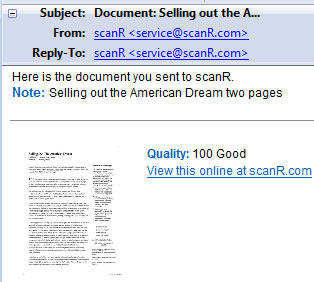
Use a digital camera or high quality cellphone to take photo of item to be faxed (magnifier or glasses on cellphone helps with this). Email the “in focus” photo to doc@scanr.com from the address you are registered with OR log onto the website and upload the photo. Scanr processes the image and converts it into a file that can be faxed from their site. I have found that cellphone docs are many times rejected as “poor” images, so you may have to work out the ‘macro’ lens trick. Another option that I use when needing to fax documents already on the computer is to “print to PDF” then “Save as” a JPG image. The multiple page PDF document will then be “imaged” one page per JPG file. Go to the Scanr.com website and use the upload tool to send the multiple page document which will be processed into “fax-able” pages. (1100 x 800 pixel or larger size)
After the images are processed (about a minute) an thumbnail of your first page will show up under the “my scans” link and when selected a larger version will be displayed. If it looks fine, select the “fax” tab and enter the fax number where you want to send the document. There is also an option to type in a short note.
If all goes well, the fax should arrive within seconds of sending. In several tests with my own fax machine, there has never been more than a 30 second lag and a confirmation email is also sent to the email address on file.
This option has also worked well if I need a hard copy of something while traveling … just send to the local fax machine in a clients office or hotel. Give it a try next time you need to send a fax.
SHORT-CUT TIP: To send a fax using e-mail after you have registered, just send photos of your document to doc@scanR.com and include the fax number in the subject or body of the message (+1 XXX XX-XXXX format works).
The New Oxford American Dictionary has a new official Word of the Year: hypermiling. “Hypermiling” or “to hypermile” is to attempt to maximize gas mileage by making fuel-conserving adjustments to one’s car and one’s driving techniques. Rather than aiming for good mileage or even great mileage, hypermilers seek to push their gas tanks to the limit and achieve hypermileage, exceeding EPA ratings for miles per gallon.
Just a side note, at out TDIFest OH8 this past Labor Day we had Wayne Gerdes speak at our gathering about hypermiling and some of the techniques he has used over the years; he is known as the “father” of hypermiling.
There are times I feel sympathetic for the Palin family after seeing the treatment from the opposition, the media and by some of the McCain campaign operatives; much of it is unfair. On the other hand, when “glancing out of her living room window” (above) that just plane [pun intended] has me envious — life ain’t so bad when you can come home to a view like this?
Greta Van Susteren, on her FoxNews 10PM program “On The Record,” will talk with Gov. Palin and her family back home in Alaska. She included a few short video snippets and photos on her blog on Monday. It sounds as it they are taking the campaign loss in stride … and is probably far more comfortable in Alaska that in Washington DC.
General Motors (GM) opens at $3.60/share on Monday, and Ford (F) flirts with holding on to the $2/share price as both beg for a government bailout. There have been strong hints of bankruptcy in the GM camp, while one of the big electronics retailers Circuit City (CC) has decided to seek Chapter 11. Still technology is showing signs of a plus move today as both the Nasdaq and DJIA have opened to the plus side. (image to right reflects indices at 9:50 AM on 11/11/2008)
The struggles continue in the business world on the heels of the financial fiasco brought on by excessive borrowing and poor banking practices. I’m not seeing the light at the end of the tunnel and worry that some of President-Elect Obamas’ proposed tax ideas and social spending programs will not speed a ‘real’ economic recovery. Government spending and loaning can only pad the pain, but ‘real’ growth has to come from business growth, private sector jobs and employee productivity.
From a personal standpoint, no matter how I look at the financial picture for the companies I sell to, the outlook is glum. Many of my customers serve the automotive industry in a round about way and are going to be slowing and reducing their spending. Their employees jobs will be threatened and I expect a significant change in sales to them. Hmm … I best start considering my options?
Although I’ve installed IE7, Firefox and Safari browsers on my Vista OS Notebook, I was curious to see just how Google Chrome would compare. It surely is a simple install and quickly handled a variety of initial websurfing tasks. I enjoyed the out of the box minialist look and feel and loved getting back some of my screen real estate. Of course this is my own fault since I’ve fattened up my title bars on Firefox to include odds and ends that aren’t really necessary; I generally have the “bookmark toolbar” open as well as the “navigation toolbar” as well as the RSS feed in a sidebar. Recently I’ve been keeping the “Google toolbar” open and along with the header added together steals about an inch and a quarter off the top of my browser window. Out of the box, Chrome takes up just about 5/8 of an inch. From that point, the Google Chrome browser is refreshing.
As for usability, I’ve not used Chrome enough to run it through too many websites, but the ones I have it is just fine.
I love the “movable tabs” feature (demo above) which permits shuffling the order of open tabs and also found the automatic search feature built into the URL address bar convenient. The one click bookmarking feature was a nice addition (also in Firefox 3) and one of my favorites is the multi-tab websurfers is the crash control feature. Unlike IE and Firefox, Google Chrome is a multi process browser meaning that each tab in Chrome runs a separate process. With a hang up on a page or crash, only that tab will get closed and rest of the tabs will keep working … now that’s nice if you run multiple tabs instead of multiple windows. Finally, Google Chrome might be the best browser for ‘shared computers’ in it will operate in an incognito mode which allows more privacy and therefore security. Tabs can be opened in incognito mode and as soon as the tab is closed, Google Chrome cleans up the browse history and cookies data.
All in all, I’m not planning to switch from Firefox 3, but just like Google’s start in smartphone operating systems, they will start to chip away at the installed base established by Microsoft, Apple and Mozilla.
(wrote and posted this using the Google Chrome browser)
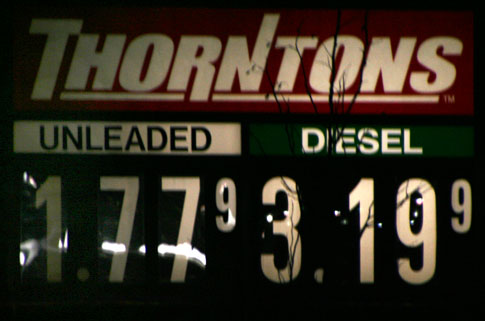
While driving home on Friday night its hard not to notice that gasoline prices continue to inch lower, but being a diesel advocate (biodiesel), its hard not to grimmice when noticing the $1.42 spread. Ouch.
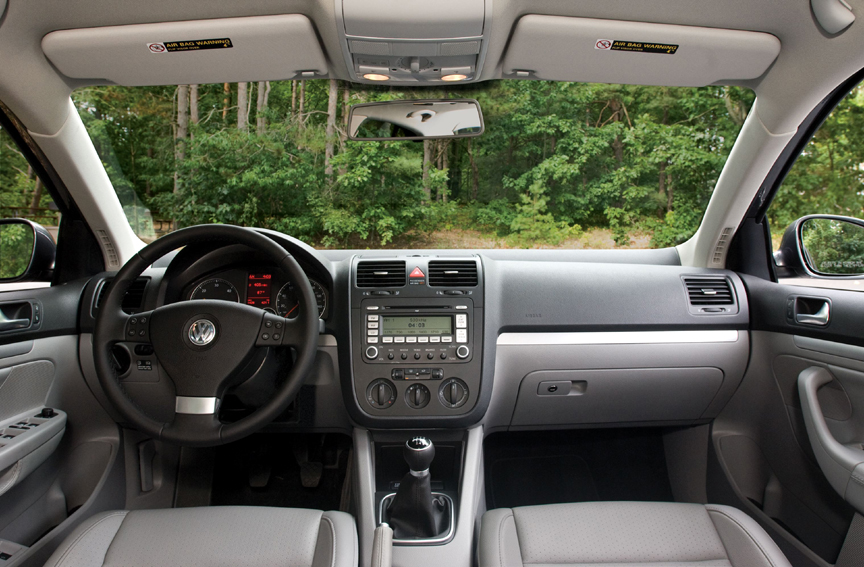
The Auto Channel posted one of their video road trips with Norbert Krause the Director of Volkswagen’s Engineering and Environmental Office in California while taking a drive the 2009 VW Jetta TDI. Although the video has some pretty annoying music in the background, some of the information being shared will be of interest to those considering a new clean diesel car — minus the “babe magnet” comments.
😀
In this episode of ROAD TRIP, Mark Fulmer rides along with Norbert Krause, Director of Volkswagen’s Engineering and Environmental Office, in the new 2009 Jetta TDI.
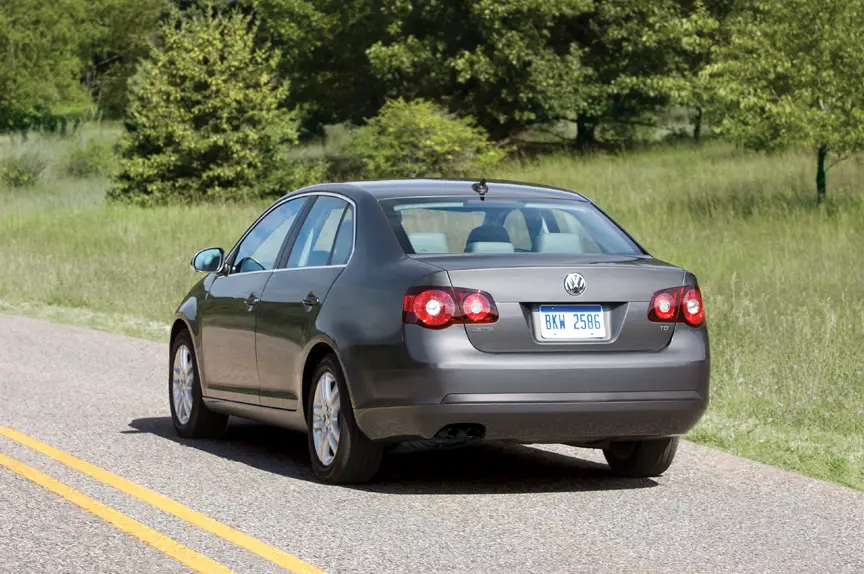
This past April, Mark Fulmer talked with VW’s Keith Price, the self-professed “Diesel Dork,” about the forthcoming clean diesel Volkswagen Jetta TDI and the reasons why a VW diesel car had been absent from the American landscape for so long. Well, the long awaited Jetta TDI is now here so Mark Fulmer and The Auto Channel traveled down to Southern California to get the complete story and test drive the sedan.
THE WAIT IS OVER
The highly anticipated 50-state compliant clean diesel Jetta TDI sedan and SportWagen are now available for customer delivery.
“We’re proud to be the first manufacturer to offer a clean diesel vehicle for sale in all fifty states,” said Stefan Jacoby, CEO/President, Volkswagen of America, Inc. “We believe our Jetta TDI’s truly offer a no compromise alternative fuel driving experience, that provides the customer the best of both worlds—excellent fuel efficiency combined with a dynamic driving experience.”
The Environmental Protection Agency estimates the Jetta TDI at an economical 29 mpg City and 40 mpg Highway. Volkswagen went a step further to evaluate the real world fuel economy of the Jetta TDI. Leading third-party certifier, AMCI, tested the Jetta TDI and found it performed 24 percent better in real world conditions, achieving 38 mpg in the City and 44 mpg on the Highway.*
EPA research has concluded that if diesels were to power one third of all light duty vehicles in the United States, the shift would save approximately 1.4 million barrels of oil a day—equal to the daily shipments from Saudi Arabia to the U.S. Providing even more value to the Jetta TDI sedan and SportWagen, a $1300 Federal Income Tax Credit was recently announced. The Internal Revenue Service issued a certification letter affirming that both vehicles qualify for an Advanced Lean Burn Technology Motor Vehicle income tax credit.
The Jetta TDI’s come standard with Volkswagen’s Prevent and Preserve Safety System, consisting of numerous standard safety features. Jetta TDI’s include six airbags, with optional rear side airbags, and like all 2009 model yea Volkswagens, Jetta TDI’s also feature standard Electronic Stabilization Program (ESP) for added safety. Also standard for 2009 is Volkswagen’s carefree maintenance program, with this program there are no charges for the scheduled maintenance described in the vehicle’s maintenance booklet for the length of the New Vehicle Limited Warranty—three years or 36,000 miles, whichever occurs first.
Recently Volkswagen announced pricing for their Jetta TDI sedan and SportWagen would start at $21,990 and $23,590, respectively.
Electronic Stability Program
Volkswagen of America, Inc. recently announced Electronic Stability Program (ESP) as standard equipment on all its 2009 vehicles. As a result, Volkswagen is one of the only original equipment manufacturers to offer an electronic stablity contro system on their entire product line – ahead of the National Highway Traffic Safety Administration’s (NHTSA) deadline requiring vehicles in the 2012 model year to include stability control systems. Volkswagen’s ESP technology works in conjunction with antilock brakes and helps reduce loss of control and rollovers to avoid crashes. NHTSA predicts nearly 10,000 lives could be saved each year if automakers included stability systems as standard equipment.
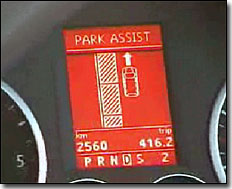 Ok, so this post is sort of a tease to North American Volkswagen enthusiasts, but it is still interesting to see what “might” eventually make its way to our shores. In the following short video clip, the “self-park” or “park-assist” feature which was only available in the Lexis is also available in the VW Tiguan — overseas. The Australian based reviewer, from AnyAutoTV, demonstrates right-hand drive Tiguan TDI self parking ability earlier this year in his YouTube video review. It is a pretty advanced feature that might eventually make its way to the U.S. … perhaps along with the ‘new’ clean diesel engine? The last word I’ve heard on the new Tiguan TDI was it didn’t meet the EPA requirements without exhaust gas after treatment — AdBlue or perhaps the new Honda system. (note that the TDI engine in the video has the traditional diesel clatter, unlike the the newer 2009 VW Jetta TDI Sedans and Sportwagens)
 While stuck on the phone for part of the weekend trying to revive an email server for a client, a friend who was helping me asked if I still subscribed to
 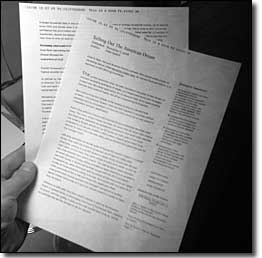 I parted ways with my $72/yr “pay for”
  Here’s a quick rundown on how to work with
 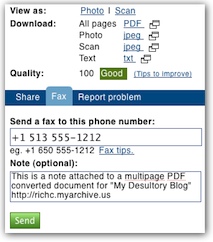 After the images are processed (about a minute) an thumbnail of your first page will show up under the “my scans” link and when selected a larger version will be displayed. If it looks fine, select the “fax” tab and enter the fax number where you want to send the document. There is also an option to type in a short note.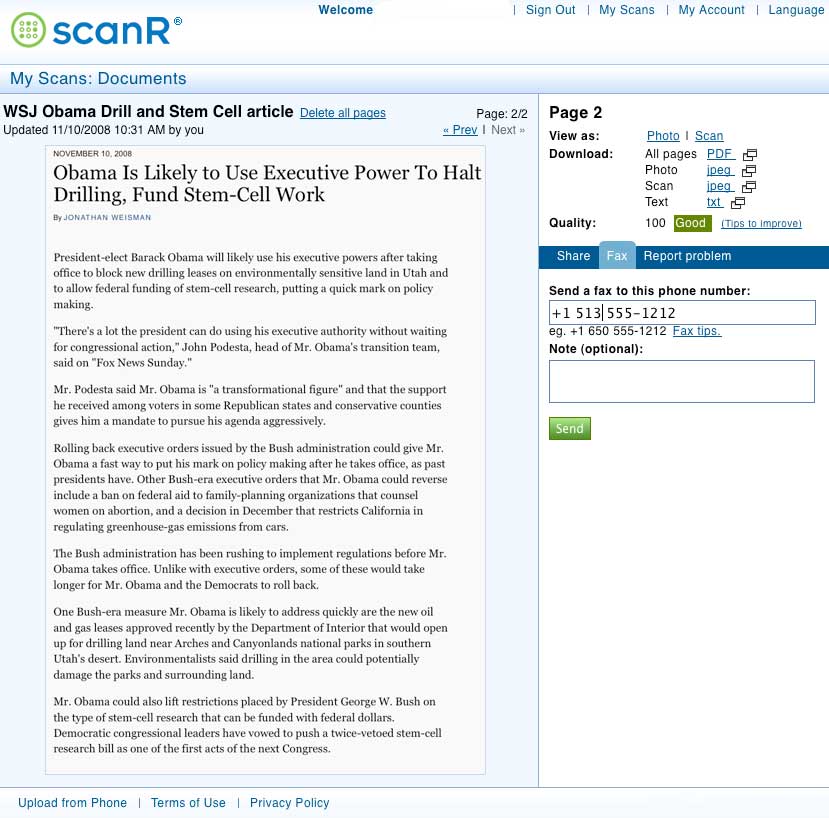

 The
The 
 There have been strong hints of bankruptcy in the GM camp, while one of the big electronics retailers