A minor problem with the latest Palm Pre webOS 1.3.1 update

Posted By on November 16, 2009

webos131 There were quite a few improvements made in the Palm webOS 1.3.1 update, but not all are going to be helpful on my Palm Pre smartphone. One benefit is that Yahoo users will see synergy improvements, including the calendar. Another feature being waited for is improved SMS messaging … particularly forwarding and copying of messaging.

Currently for me, the breaking of MyTether is a loss … although word has it that it is being fixed as quickly as possible. I hope it returns as it has saved me by adding a mobile wifi access point for use with my notebook computer.

Here’s a Palmwebos.org blog post on all the changes in this update:

Palm pushes webOS 1.3.1 update for the Pre

by Shawn Brown on November 15th, 2009

Palm snuck up on us a lot recently especially with the release of the new version 1.3.1 of webOS. This update packs a lot of nice new features that make the this platform just that much more desirable. Among some of the new changes is Yahoo support for Synergy, improved text message support including forwarding and custom text message notification tones.

Right now webOS 1.3.1 is only available to Pre owners on the Sprint and Bell Canada networks with forign Pre owners receiving it by the end of the month. See below for a complete list of updates and fixes added with version 1.3.1.

Version information

  • Version: webOS 1.3.1
  • Release date: 15 November 2009

New applications

  • NONE

Feature changes to existing applications

Backup

  • Backup now includes browser cookies, so that after a restart, for example, if you stored your username and password on a web-based email site, you can continue to access the site without needing to log in.
  • Backup no longer saves online account passwords. If you perform a partial or full erase or buy a replacement phone, after signing in to your Palm profile, you are prompted to enter the password for each of your online accounts. If you choose to skip this step, to continuing synchronizing this account, you must open an app that syncs with the account (Calendar, Contacts, Email) > application menu > Preferences & Accounts > tap the account name > enter your username and password.

Calendar

  • Yahoo! now appears as a Calendar synchronization account. You can synchronize Yahoo! calendar events by opening Calendar > application menu > Preferences & Accounts > Add An Account > Yahoo!
  • An event’s location now appears with the same formatting in Day view and in the event notification.
  • Calendar notifications no longer reappear after being dismissed.
  • All-day events that span more than one day now appear correctly in all Calendar views.
  • If you create a Google calendar event on the phone and the event location contains an apostrophe, the event now correctly synchronizes with Google online.

Camera

  • After taking a picture, if you tap the picture thumbnail in the lower-left corner of the camera screen, the picture now opens in full-screen view, not Thumbnails view. Making the back gesture returns you to the camera.

Contacts

  • Yahoo! now appears as a Contacts synchronization account. You can download contacts from Yahoo! online to the phone by opening Contacts > application menu > Preferences & Accounts > Add An Account > Yahoo!
  • Automatic contact linking based on name matches occurs only if the first and last name fields are populated with the same names. If either field is blank, the Contacts app no longer links the contacts. In addition, the Contacts app no longer automatically links contacts with the same name but with different suffixes (such as Jr. and Sr.).
  • Contact phone numbers in an Exchange account display the same label that is used for the number in Outlook.
  • If you set up Contacts to synchronize with a Google account, the account synchronizes only entries in Google’s My Contacts, not all contacts.
  • If a contact entry includes a linked Google instant message that contains a special character (such as an apostrophe or ampersand), the special character now displays correctly.

Device Info

  • If you copy a music file to the phone and then delete it, Device Info now shows the correct amount of available memory after the deletion.

Email

  • Forwarded and replied-to messages include improved formatting, such as the original sender’s email address in forwarded messages and correct inline image display in replies.
  • The list of mail types available in manual setup now includes Google Apps (Hosted Google Domains) and Yahoo! Small Business Domain email accounts. Selecting one of these types automatically enters the correct settings for these accounts.
  • If you have multiple Exchange accounts, doing a Global Address List (GAL) contact lookup searches all the accounts.
  • When you set up more than one email account from the same provider-for example, two Gmail or two Yahoo! accounts-in Account List view, the account names display the associated email address so that you can distinguish them.
  • A new Select All menu item selects message body text so that you can cut or copy it. A new Copy All menu item copies the entire message contents-sender, date, recipient, subject, and body text-so that you can paste it elsewhere. These menu items appear only when a message is open.
  • If you turn the All Inboxes preference off, email notifications now show how many new messages are in each of your email accounts.
  • Performing a message search in the All Flagged folder returns flagged messages only.
  • If an Exchange 2003 implementation requires a password, you can select an alphanumeric (strong) password even if the server does not require a strong password.
  • If an Exchange implementation allows use of a simple PIN (numbers only), the phone supports entry of a PIN that is longer than four characters.
  • If a notification appears for an incoming email message whose subject line contains an ampersand, the ampersand appears correctly in the notification.

Messaging

  • Yahoo! IM is available as an instant messaging account.
  • You can select a unique ringtone for new message alerts: Open Messaging > application menu > Preferences & Accounts > Sound > Ringtone.
  • You can forward a text or multimedia message by tapping the message > Forward.
  • You can copy the text of a text or multimedia message by tapping the message > Copy Text.
  • If you receive a message from an email address, the sender’s name (if in Contacts) or email address (if not) shows up correctly on the new message notification and on the open message in Messaging.
  • If you copy a conversation using the Copy All menu item and then pastes the conversation text, the pasted text now appears correctly as plain text, without any HTML tags.
  • Messaging notifications now show the number of senders and the number of conversations.
  • If you enter a message and start it with a standalone letter-for example, “R” or “r” for “are”-when the auto-correct feature expands the letter to a word, the word is correctly capitalized (”Are”).

Music

  • While listening to a song with album art displayed, you can tap the screen below the art to display a playback slider. Dragging the slider jumps forward or backward in the song.

Phone

  • If the you are on a call, calendar notifications no longer partially cover the End Call icon.

Screen & Lock

  • A new Secure Unlock preference allows you to set the time interval the phone is idle before the phone locks, requiring you to enter the PIN/password to unlock the phone. This can be the same as or different from the interval after which the screen turns off. To set the preference: Open Screen & Lock > Lock After.
  • If you select the Simple PIN Secure Unlock option, you can now enter a numeric PIN of more than four digits.
  • If you press power to turn off the screen, the screen locks at the same time. Previously, there was a gap of a few seconds before the screen locked.

Sounds & Ringtones

  • If you select a new ringtone and throw the card off the screen, the phone saves the new ringtone selection.
  • If you set the Ringer Switch Off setting to Mute and turn the ringer switch off at any time, the ringer is muted and the phone does not vibrate, regardless of any other Sounds & Ringtones settings.

System

  • The application information dialog box (accessed by pressing and holding the orange key/Option and tapping an app icon) displays the total (uncompressed) size of the app, including the amount of storage the app requires. For apps you installed, this number represents the amount of memory you free up on the phone by deleting the app.
  • If you change the apps in Quick Launch, after a backup and partial erase, the new apps still appear in Quick Launch. Previously, Quick Launch reverted to the default apps.
  • You can access USB Drive mode by pressing and holding the orange key/Option + Sym + U after connecting the phone to the computer. This enables you to access USB drive mode if the screen is broken or stops responding to taps.
  • A new option is available for restarting the phone: press and hold power > Power > Restart. The prior restart method (Device Info > Reset Options > Restart) is still available.
  • You have two options for shutting down the phone completely: 1) press and hold power > Power > Shut Down/Swap Battery > Shut Down; 2) open Device Info > Reset Options > Shut Down > Shut Down.

Tasks

  • If a task notification shows a single task, tapping the notification now opens the details screen for that task, not the task list screen.

Videos

  • Widescreen videos now display in widescreen mode on the phone by default, instead of being cropped.

Web

  • Backup now includes browser cookies, so that after a restart, for example, if you stored your username and password on a web-based email site, you can continue to access the site without needing to log in.
  • If you tap to play a YouTube video embedded on a web page, the YouTube application launches and the video plays in the app.

YouTube

  • Widescreen videos now display in widescreen mode on the phone by default, instead of being cropped.
  • If you tap to play a YouTube video embedded on a web page, the YouTube application launches and the video plays in the app.

Security

This release addresses several security issues with Palm webOS software.

We would like to thank Chris Clark for his help in identifying some of the issues addressed in this release.

Individuals interested in contacting Palm to report suspected security issues can find more information at palm.com/security.
The Ohio Bucks are having a heyday

Posted By on November 15, 2009

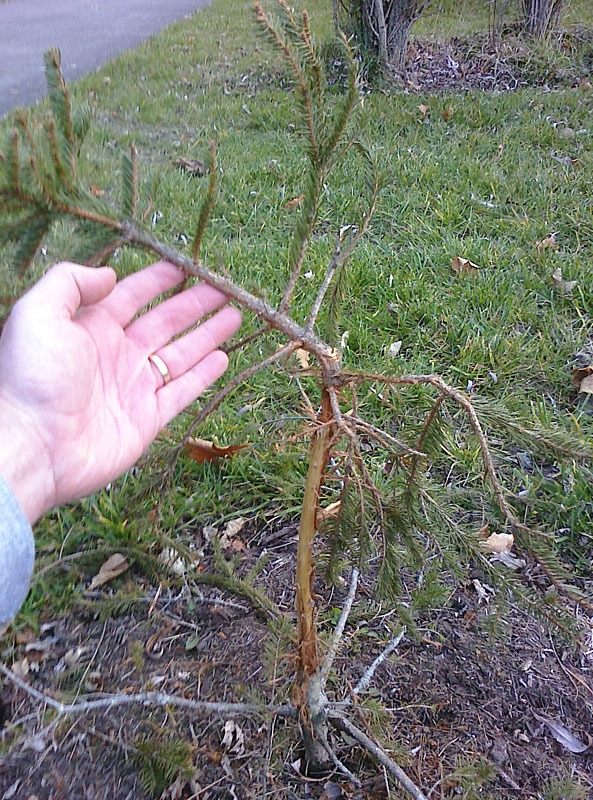
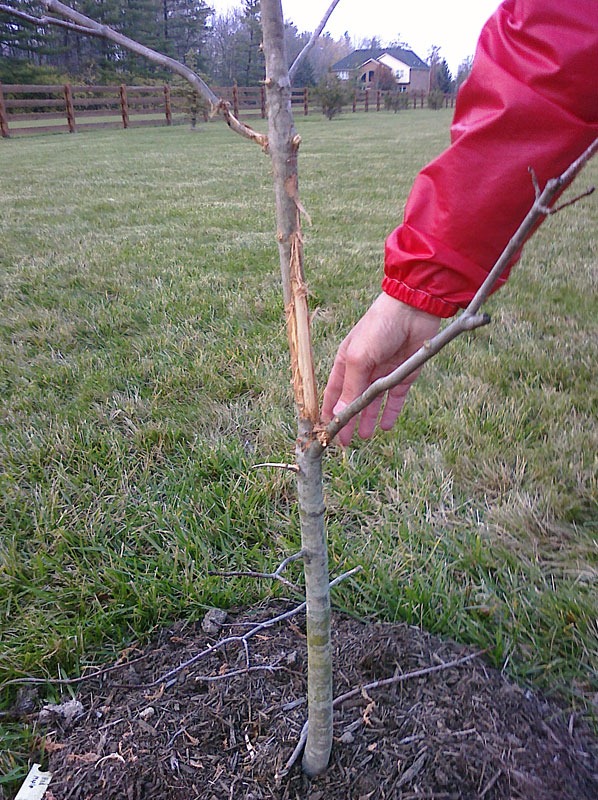
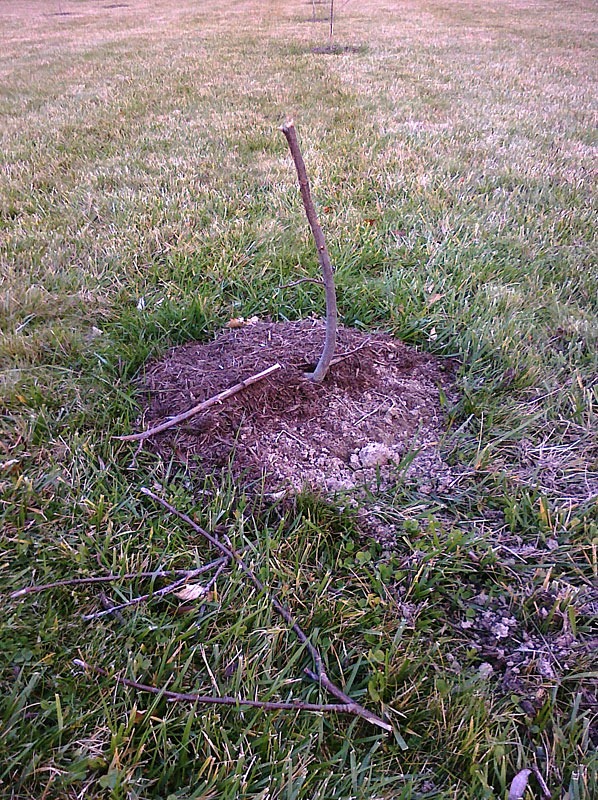
deer_redmaple091116 No I’m not talking about the Ohio State Buckeyes win over the Iowa Hawkeyes this weekend OR the “whodey” Bengals defensive triumph over their rival the Pittsburgh Steelers (for a 5-0 record in their division and 7-2 overall – but who am I to boast) … although both were local football wins and worthly bloggable topics … but I’m referring to deer. In particular the bucks are enjoying the newly planted trees in our backyard. I’ve about had it with them destroying every tree we’ve planted and wondering just what will keep them away … obviously the coyote and our dog aren’t deterring from their ‘buckrubbing’ ways. I’m about to go on the offensive and consider using an illegal lead slug to their heads!

As you can see, they’ve destroyed several of the trees we’ve just planted.

deer_damage091116 deer_buckrub091116

My Twitter Account was hijacked

Posted By on November 14, 2009

twitterlockout485

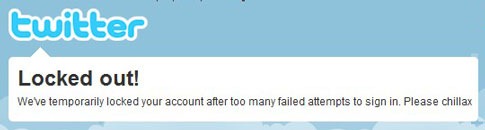
Rather frustrating, but it happens – my @RichC Twitter account was hijacked and direct message bombarded with a bogus link to those who are following. After logging in and changing my password and eliminating the three connections that I had registered with, I’m hoping things will return to normal? We’ll see, but for now it looks as if the login attempt to my account may have stopped and that Twitter servers have locked out any attempts to log back in … including my attempt to log back in?

Anyway, here is Twitter’s advice if this happens to you.

If you’re still able to log in to your account, immediately do the following:

  1. Log out of Twitter immediately (this will invalidate the session cookie).
  2. Clear your browser cache and exit your browser completely (this will stop suspicious or unwanted programs that may be running in the background of your browser).
  3. Open a new browser window and log in to Twitter. Then, immediately change your password. You can also use the Twitter password reset feature to set a new password before logging in again. 
  4. Visit your settings page and check your Connections. Revoke access for any third-party application that you don’t recognize.

Twitter___Connections.jpg

Your account should be ok, but please submit a support request and include any statuses that weren’t posted by you in the body of the request. If you can record the link of the status update before deleting it (click on the time the tweet was posted) and send us that link, even better!

Finally, be sure to update your password in all of your third party applications as well. If a third party application (like Facebook, Twitterrific, Twhirl, etc.) is trying to use your old password to access your tweets, it will lock you out of your account!

If you’re NOT able to log in to your account, try to reset your password first. If you still can’t get in, contact Support. Try submitting a support request through our online form. If you can’t access that form, you’ll be redirected to a Twitter login page. Click the link in the bottom-right corner of that page (it says "No account? Can’t login?"). This link will enable you to email support directly. Please send your email from the email address associated with your Twitter account, and include the following information:

  • Your Twitter username
  • Phone number associated with your Twitter account (if applicable)
  • The welcome email that was sent you when you created your account (if you can find it)
  • Any notifications you’ve recently received (follow, direct message, etc.)
  • A list of a few friends you’ve recently direct messaged, or who’ve recently messaged you
  • An old IM address you verified, if you had an account when Twitter allowed updating via IM

This information will help us confirm your identity as the account owner.

UC remains undefeated by the skin of their teeth

Posted By on November 14, 2009

It was another “kardiac Ohio” performance.

CINCINNATI (AP)—Far from perfect, No. 5 Cincinnati was good enough to stay unbeaten.

Tony Pike threw two touchdown passes in a cameo appearance Friday night, and the Bearcats overcame a self-destructive first half to beat West Virginia 24-21 for the best start in school history.

Cincinnati (10-0, 6-0 Big East) struggled offensively because of uncharacteristic mistakes—a fumble, a dropped touchdown pass, a missed field goal, and an interception—all in the first half.

LINK

Hydroptere shatters old sailing speed records

Posted By on November 14, 2009

The high performance wind powered Hydroptere (blogged about back in 2007) has shattered sailing records the world over by averaging 51 knots over 500m (.5 kilometers)  in 28 knots of breeze. It’s hard to imagine traveling that fast on the open water, let alone one a boat without an engine.

American Civil War era copies of the Philadelphia Inquirer

Posted By on November 13, 2009

philadelphia_april_5_1865

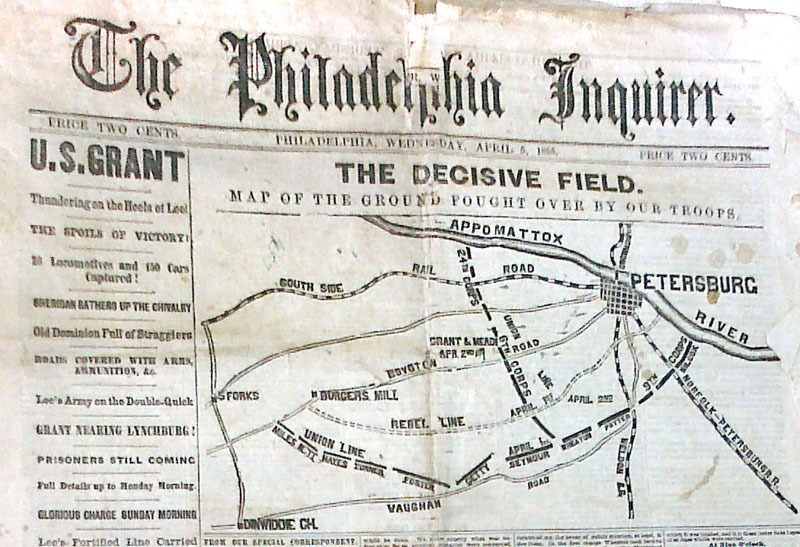
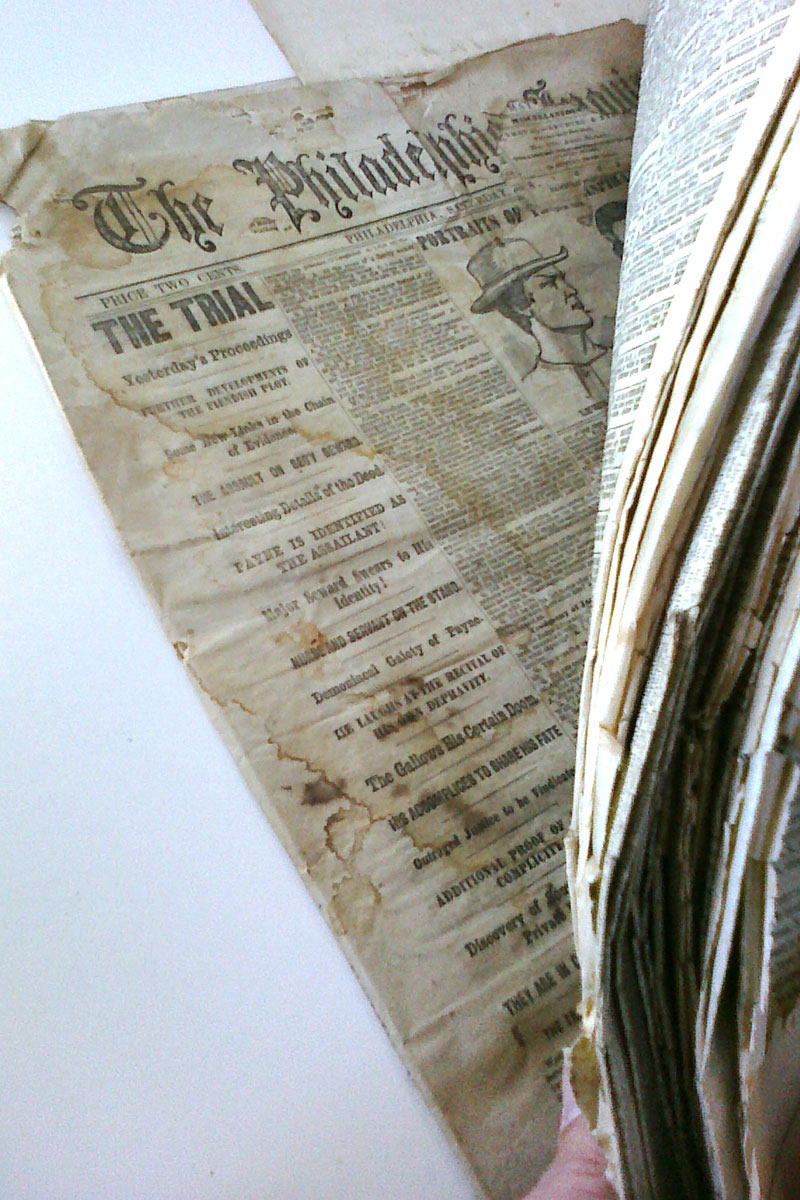
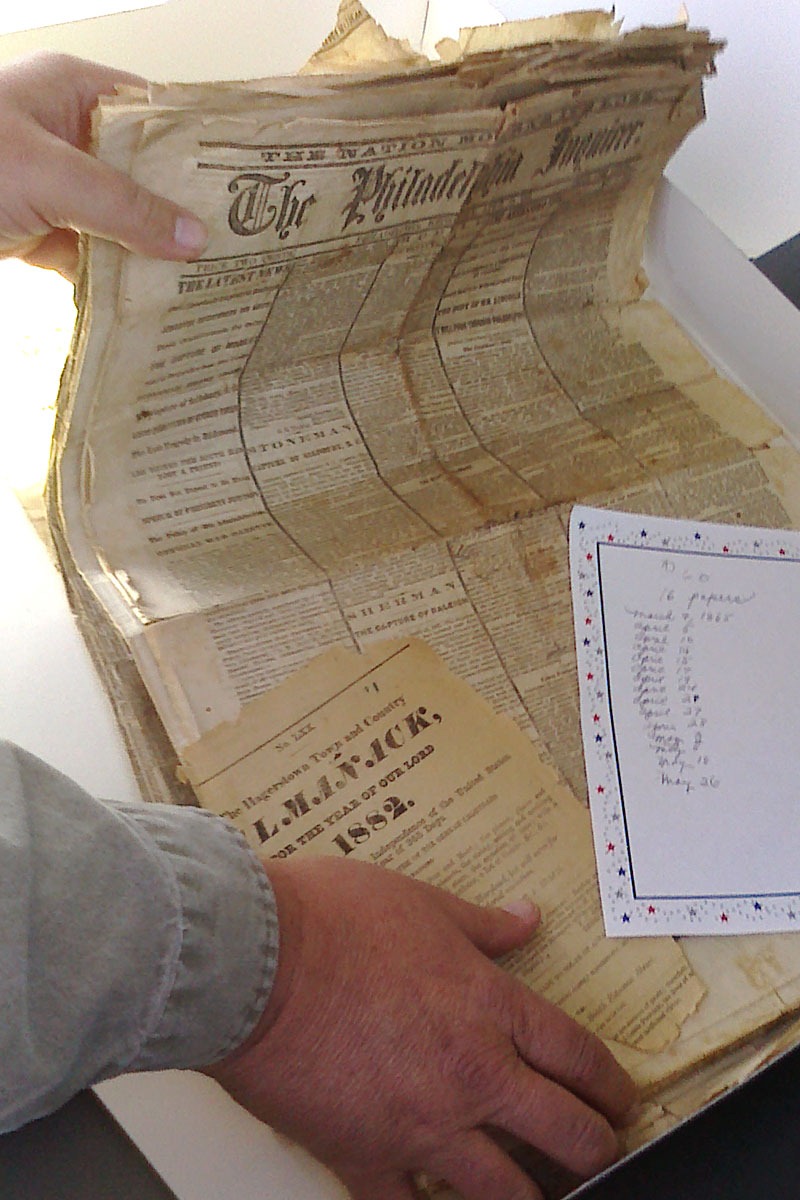
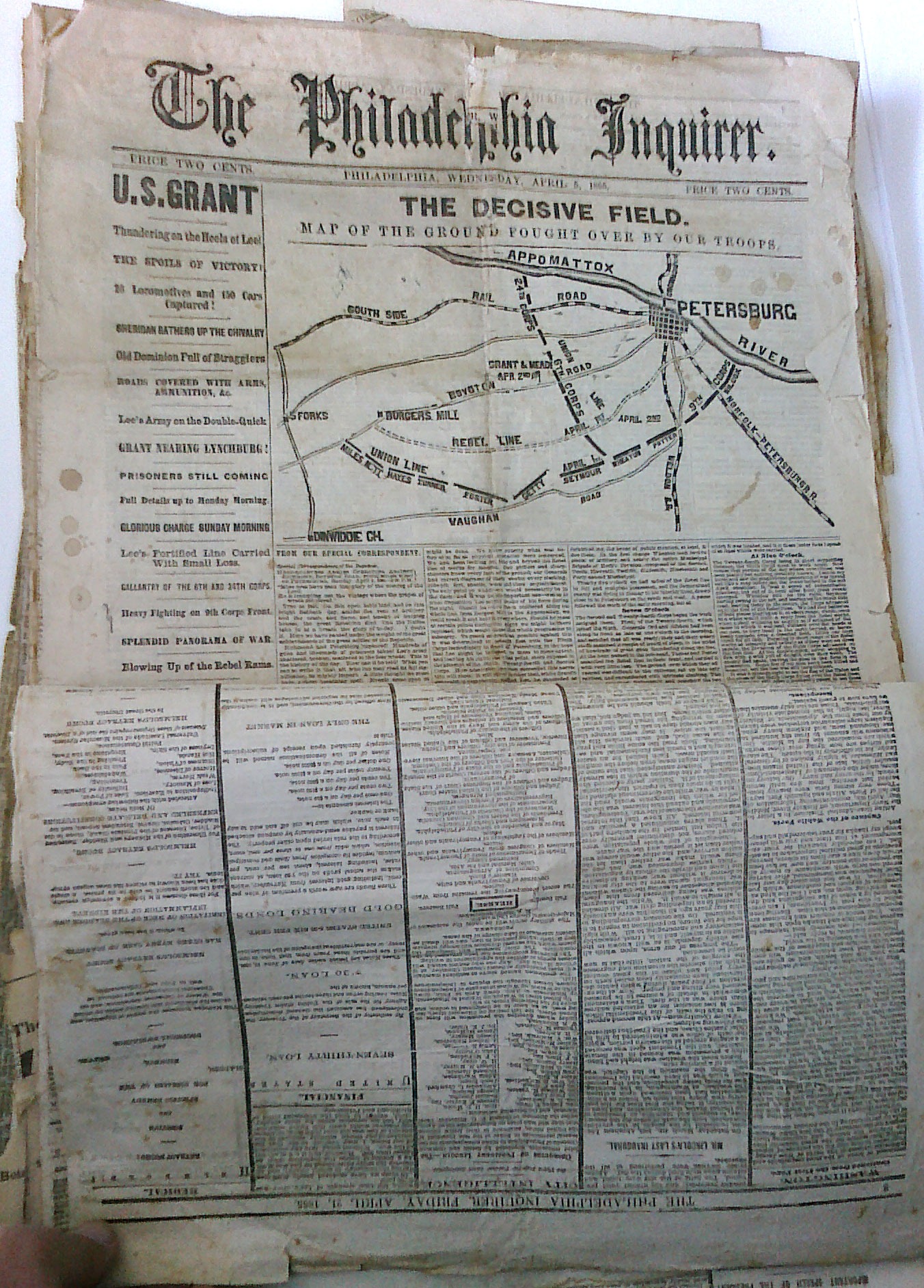
I enjoyed lunch with a good friend of mine that just returned from the laborious task of going through his mother’s philadelphia_thetrialestate. He kept a few antique furniture items and uncomfortably stuffed them in his apartment while trying to figure out just what to do with the balance.  old_philadelphia_newspapersWhile we were standing by our cars, he asked what I thought of these: a stack of American Civil War era newspapers piled in a box. Wow … very historic as I took a couple quick photos with my Palm Pre.

As he leafed through the copies (feeling guilty to be touching them), the magnitude of the events being reported sunk in. Imagine, a war between the states, the thousands of dead and an assassination of debatably our countries greatest President? Wow.

philadelphia_april_5_1865a

Would you advertise your Honda in the WSJ classifieds

Posted By on November 12, 2009

wsjhondakey

Seeing a Honda key used in a Wall Street Journal ad promoting classified auto listings made me chuckle — I’ve never noticed a Honda being advertised with the columns of Bentley, Ferrari, Maybach, Lamborghini, Aston Martin and Maserati nameplates. Perhaps the recession is impacting auto selection of WSJ subscribers?
   🙂

Rethinking my travel computer while working with the HP311

Posted By on November 12, 2009

hp311_twit Netbooks are growing up and the slightly larger models now sport a bit more memory, larger displays and the excellent Windows 7 OS. As a family, we’ll be gifting a new HP 311 netbook to my mother-in-law this year for Christmas. We’re hoping to re-introduce her to using a computer — primarily for email and web – and make the connecting to an ISP easier in all locations with the Verizon 3G wireless service. Her use is ideal for a netbook since very little processing is going to be done on the lower priced and light weight Intel Atom chipped computer.

I was elected by my family to pick out and set up the computer this year and have been waiting for one with Windows 7 Home Premium with 2 gigabytes of memory. Enter the Hewlett-Packard 311 series computer with decent sized keyboard and 11.6 inch display. Although the screen is still small by most computer standards, the 3.22 lbs and long battery life is fantastic.

I’ve been setting it up the past few days and have found it something to envy; I want one! Last night I found that it out performed my higher end notebook in both streaming video over wifi (twit.tv) and a couple of Skype calls. Obviously this HP Mini 311 is optimized to handle video with its NVIDIA ION graphics card even operating at full screen, although occasionally a few dropped frames but audio was solid. Speaking of audio, the Altec Lansing built in speakers were better than my $1300 notebook!

An option that I haven’t put to the test just yet is the  built in HP Mobile Broadband chip. hp311The Gobi chip permits a user to add Verizon Wireless, AT&T, or Sprint, service to their netbook without the USB dongle that is sold by wireless carriers. This is a nice, although expensive, option for those who travel and want 3G speeds for mobile Internet.

All in all at first glance and an after a few hours of testing, this new breed of slightly larger netbooks should be near perfect for many travelers tired of short battery cycles and the bulky sizes of traditional notebook computers. I’ll be weighing my next notebook purchase carefully.

Honor Veterans today and everyday

Posted By on November 11, 2009

Veterans_Day_2009_poster After the massacre at the Fort Hood Army post just a few days ago, there is understandably more attention on our Veterans today. The sacrifices our men and women in uniform make serving our country is deserving of respect and remembrance today and everyday. I thank all who serve and have served our nation.

President Obama marked today by laying a wreath at Arlington National Cemetery and pledging support telling  those who served, including the spouses, children and parents, that “America will not let you down.” In the town of Emporia Kansas where Veterans Day began, Lt Gov. Troy Findley stated “we meet here today, at the 11th hour, of the 11th day in the 11th month to honor our Veterans. The origins of this day trace back to the official end of the First World War, Armistice Day; but it was in 1953 that the townspeople of Emporia suggested that it be a day to honor all of our heroes, both past and present.”

The Hoover Dam bypass is a civil engineering marvel

Posted By on November 11, 2009

Hoover Dam Bypass

In a recent forwarded email there were a few excellent “under construction” photos of the bridge being build to bypass the Hoover Dam on U.S. Rt 93. The $160 million dollar project is 900 feet above the Colorado River and will more efficiently links the states of Nevada and Arizona. The two massive concrete arches jut out from the rock faces on each side of the river and are being built from 53 individual 24 foot sections that are cast on-site in order to support the highway. (click photos for larger images)

Hoover Dam Bypass temp cables

They are are being lifted into place using an improvised high-wire crane strung between temporary steel pylons. The arches will eventually measure more than 1,000 feet across. At the moment, the structure looks like a traditional suspension bridge. But once the arches are complete, the suspending cables on each side will be removed.

Hoover Dam Bypass sections

Extra vertical columns will then be installed on the arches to carry the road. The bridge has become known as the Hoover Dam bypass, although it is officially called the Mike O’Callaghan-Pat Tillman Memorial Bridge, after a former governor of Nevada and an American Football player from Arizona who joined the US Army and was killed in Afghanistan. Work on the bridge started in 2005 and should finish next year. An estimated 17,000 cars and trucks will cross it every day.

Hoover Dam with lights

The dam was started in 1931 and used enough concrete to build a road from New York to San Francisco.The stretch of water it created, Lake Mead, is 110 miles long and took six years to fill. The original road was opened at the same time as the famous dam in 1936.

Last sections

An extra note: The top of the white band of rock in Lake Mead is the old waterline prior to the drought and development in the Las Vegas area. It is over 100 feet above the current water level.

Hoover Dam with Bypass behind

Desultory - des-uhl-tawr-ee, -tohr-ee

  1. lacking in consistency, constancy, or visible order, disconnected; fitful: desultory conversation.
  2. digressing from or unconnected with the main subject; random: a desultory remark.
My Desultory Blog