“Holy Daedalus, Batman!”

Posted By on December 21, 2006

Jet-Man
Is Yves Rolly a modern day Icarus or perhaps Batman? Maybe not, but when I heard about this “winged man” and his jet powered strap-on wing, all I could think about were the dreams of man flying like birds. Yves Rolly has figured it out and built a set of powered folding wings to strap on his back. He is no amateur tinkerer, but his four jet engine powered wing does leave room for one to question his sanity?

Rolly is an experienced pilot, having flown jets including the Mirage III for the Swiss military. He has work commercially as a pilot of DC-9s and Boeing 747s and continues to chase his aviation passion performing aerobatics, hanggliding, paragliding and skydiving. His experience would indicate that he is not a crackpot inventor, but a man with creativity and talent. If you enjoy experimental aviation, or even if you do not … check out Jet-Man.com and the short video clip below. Not only is this an impressive flight, but seeing him ‘jet’ around with the Swiss Alps in the background makes it doubly impressive.

Central Ohio Biodiesel price update

Posted By on December 20, 2006

Updated Biodiesel at I71 exit 151 Sunoco
I took a quick cellphone photo (Palm Treo 700p) showing the 12/20/2006 updated pricing at the biodiesel and E85 Ethanol Mt. Gilead Sunoco. The prices seem to be pretty stable, at least for biodiesel. The central Ohio station is located very convenient to exit 151 ramps on Interstate 71 between Mansfield and Columbus Ohio. Its an easy on and off both north and southbound. (The McWherter Fuel Depot in Delaware Ohio, which is about 20 miles away, was $2.72 for B20 yesterday)

VW TDI “How-To” Cabin Filter preview

Posted By on December 20, 2006

I finally pulled some 3 month old VW TDI “How-To” footage off the camera and encoded it last night before going to bed. I haven’t had a chance to put fresh eyes on it or even watch it through, so before I post it to the CinciTDI video section, perhaps a couple Volkswagen TDI oriented readers can look it over?

If you see any glaring errors let me know, otherwise I’ll update the site. (yes … the turbocharger replacement clip is coming … hold on a few more days)

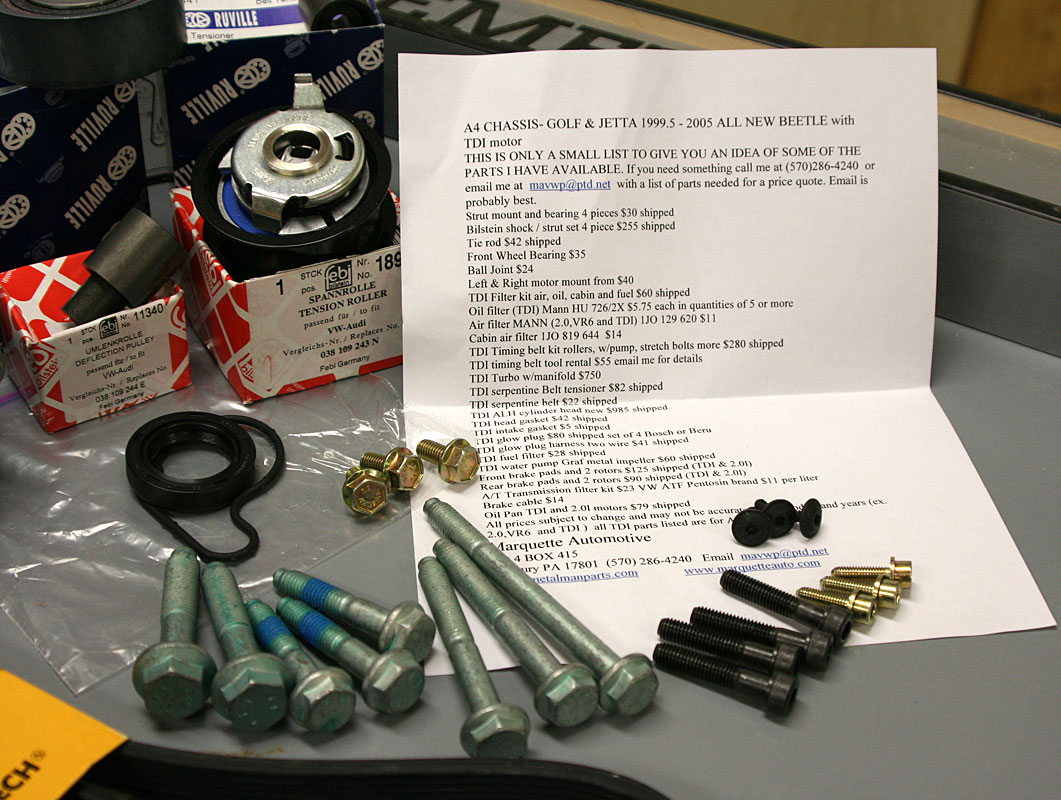
Review: Metalmanparts VW TDI Timing Belt Kit

Posted By on December 19, 2006


Its about time for my 2003 Volkswagen Jetta TDI to receive her new timing belt. As I close in on 100,000 miles the recommended services is to replace not only the timing belt, but the serpentine belt, the

idler rollers and the water pump. Thankfully the later models come from the factory with a long life belt, because the service is not for the average weekend mechanic … although will the video information available at CinciTDI or information on the TDIClub it is do-able. Normally I would recommend ordering the deluxe package sold by Jim at Dieselgeek which is an excellent kit, but this time decided to take a friends advice and try Metalmanparts (Marquette Automotive) — thanks Bruce. Currently there is about a $30 difference between the two, the Metalmanparts kit being $305.00.

The Metalmanparts kit also includes a quart of G12 antifreeze, but it does not include the proprietary Dieselgeek water pump removal tool. (see DieselGeek)

Exclusive Dieselgeek.com Water Pump Removal Kit:Oftentimes the water pumps on the new style TDI engines are hard to remove from the engine block due to a tight fit, corrosion, and water pump O-rings that like to stick to the engine block. We here at dieselgeek.com have had a screw set custom-made that make the extraction of these difficult water pumps MUCH easier. To use the water pump removal screws, first simply remove the three black 7mm screws holding the water pump to the engine block with a 10mm socket and ratchet. Next, for best results, apply a generous amount of grease the threads of each of the three water pump removal screws. (It doesn’t matter what kind of grease you use and the screws will usually work without grease.) Lastly, using an 11mm or 7/16” inch socket, tighten the three screws evenly into the three water pump mounting holes. The water pump will be conveniently and easily pushed out of the engine block by the screws. (quoted from website)
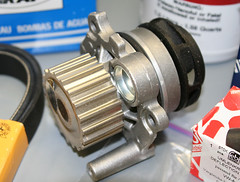
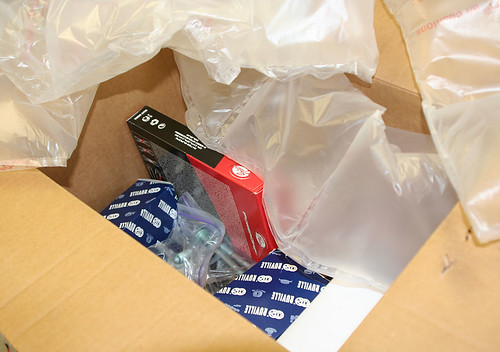

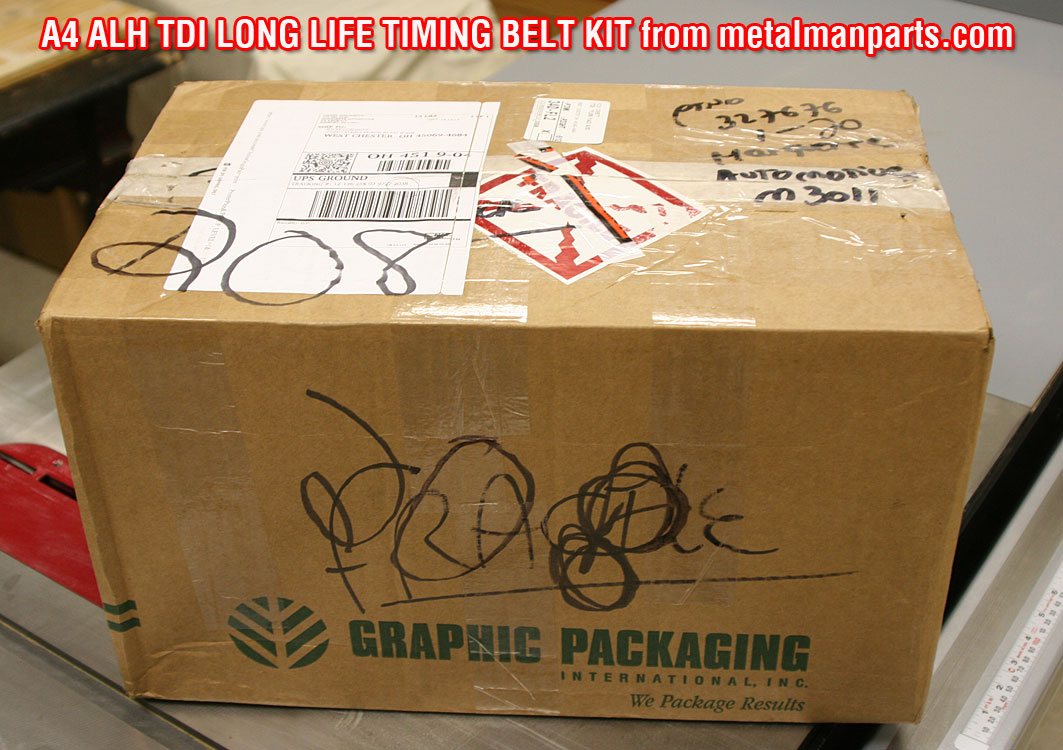
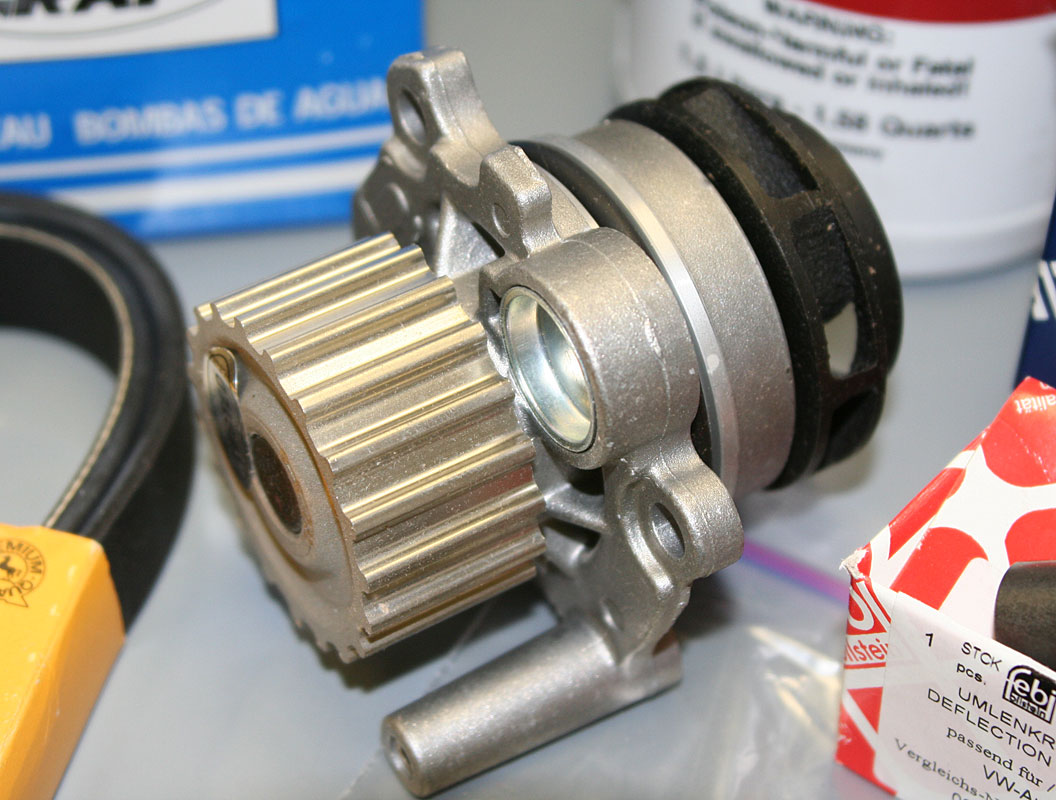
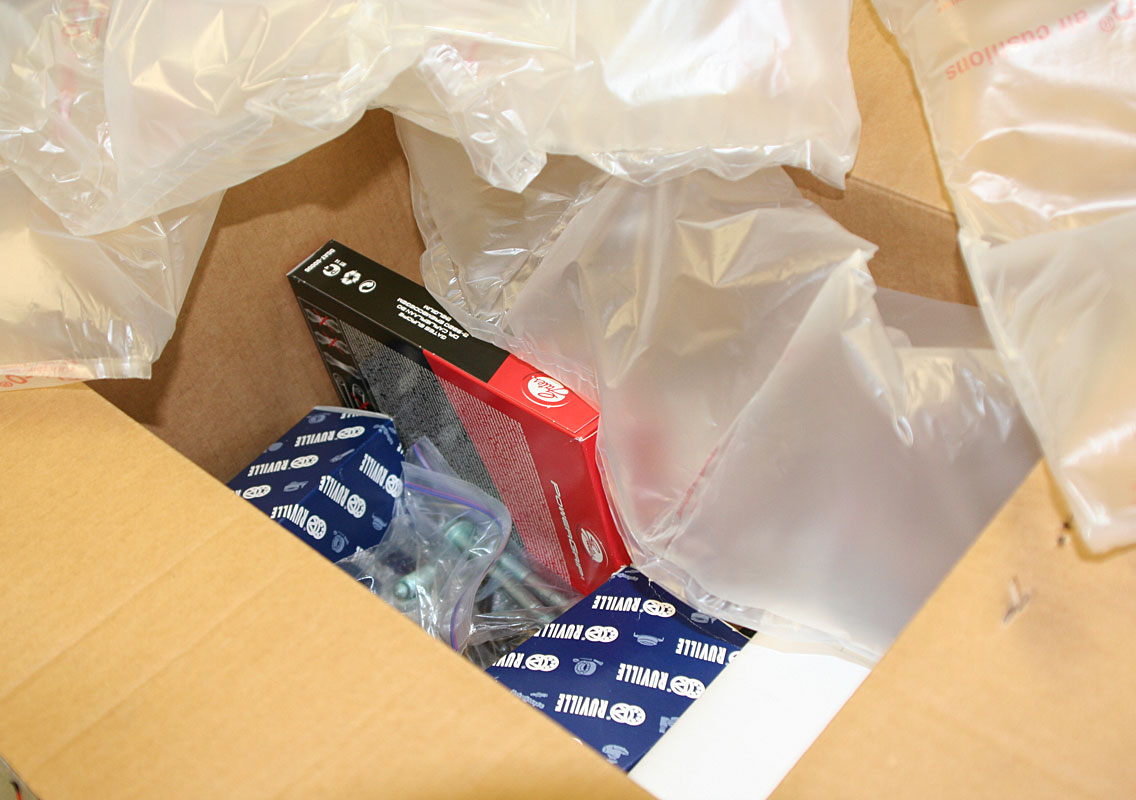
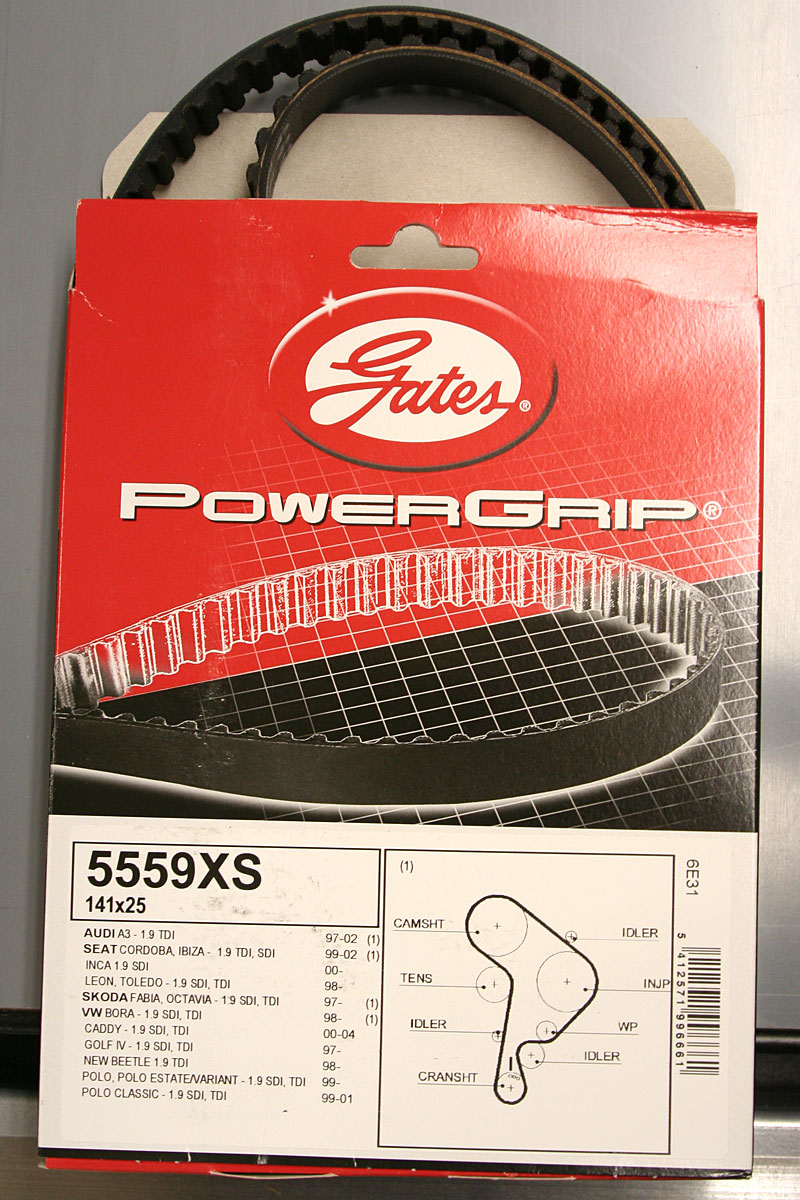
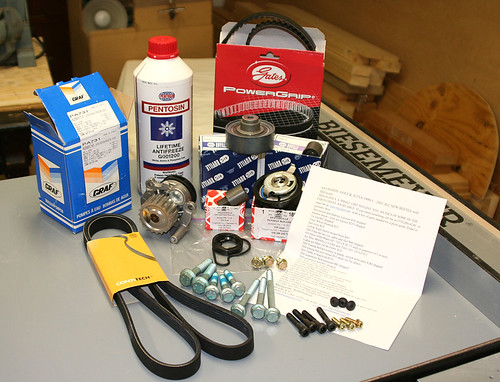
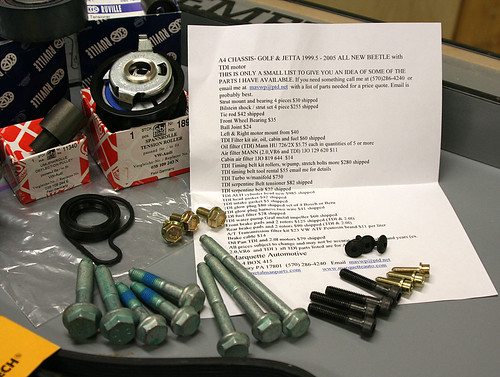
The 31 parts came packaged securely and everything seems first rate. (click on the photos for large versions)

I placed the order online, paid with paypal and received a prompt email back that everything would be shipped the next day. Metalmanparts shipped the carton UPS and it was delivered from Sunbury, Pennsylvania to Ohio in two days.

Injection pump sprocket bolts, motor mount stretch bolts, harmonic balancer bolts, valve cover 5 mm allen bolts and even three extra T20 Torx screws for the lower engine cover are included. All in all, I have no reservations recommending either Dieselgeek or Metalmanparts as a company to purchase the Volkswagen TDI timing belt kits.
What do you think about Apple’s phone

Posted By on December 18, 2006

iTalkSloooow down … it hasn’t been announce just yet (1PM EST), but the rumors are swirling that today, Monday December 18th, Apple Computer might just announce a long anticipated combo phone and media player. I’m not sure what it will look like, but was surprised to see that Cisco/Linksys has a VOiP phone call the “iPhone.” I suspect that a few see the “iThis” and the “iThat” as Apple product? Nevertheless, most in the industry are calling whatever is coming from Apple the “iTalk” … which I believe is pretty much confirmed? Interestingly I did spot this interesting ‘concept’ advertisement. I’m not sure its what I want, but design wise … its something only Steve Jobs and Apple Computer could pull off.

EDIT 12/19 – Nothing as of yet. If the rumor of an iPod phone interests you, here is an interesting link.

Glued to the news of a “tragedy on Mt. Hood”

Posted By on December 18, 2006

As another day passes and a new day of searching begins, the nation waits for news from rescue efforts on Mt. Hood. Yesterday (Sunday), was the first clear day of searching since the wicked storms battered the Pacific Northwest, and one of the 3 missing climbers was found, unfortunately not alive, in a snow cave. Another cave was found with only equipment and a sleeping bag which leaves two climbers yet to be accounted for. The prayers of many following this grime situation are with those families waiting in agony. I’ll include a Sunday evening “what is known so far clip” from FoxNews.

Apocalypto … the Mel Gibson movie

Posted By on December 17, 2006

A “new beginning” … the translation sounds better than the Mel Gibson movie titled “Apocalypto.” My wife and I intended on going to see this movie last night, but unfortunately didn’t make it. (I had planned on a review here)
photo 🙁
So in lieu of my review I’ll post part of a long interview that Mel Gibson had with FoxNews and Sean Hannity. Mr. Gibson is an interesting fellow. As expected, the “passion” he puts into most of his project is apparent without even seeing this movie. From the sounds of the fast pace, violence and impressive cinematography, I expect to come away worn out. I’m concerned about the subtitles though; maybe we’ll see it over the long Christmas or New Years weekends? (warning … the following Quicktime clip runs 18 minutes)

DELETED

Discussion follow up: Tire Pressure Monitoring

Posted By on December 16, 2006

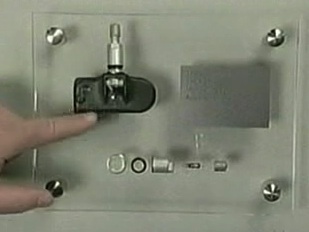
SensorIn our local CinciTDI Volkswagen car club, this past week we had a discussion on ‘tire pressure monitoring.’ I’m not sure all of the answers were correct, but found it interesting that Pat Goss of Motorweek had a segment about it in this weeks program. Although I didn’t find the comments as complete as the could have been, seeing the ‘stem’ with the pressure sensitive electronic sending unit was helpful.

Palm exec points to a Treo 700p update

Posted By on December 15, 2006

Treo 700pAttached below is a segment of a letter that a Steve Sinclair, a Palm senior product manager, wrote to TreoCentral in regard to a needed (and seemingly long awaited) update for the Treo 700p. I’ll link to a PDF copy of the full letter, but cut to the chase by posting the important stuff like:

1) Bluetooth compatibilty,
2) Stuttering music playback
3) lag in switching applications

Mr. Sinclair, Sr. Product Manager writes …
Dissatisfaction with Bluetooth performance is clearly a top customer issue and our technical team has been working to overcome Bluetooth hardware limitations to deliver improved performance on the 700p. Tops among these is improving the stability of the Bluetooth connection between the phone and the headset/carkit. We hope to have a patch specifically available for Bluetooth early in the new year assuming it passes through all its certifications and is approved by the carriers. At that time, we’ll be able to publish an updated compatibility list, but to be upfront about this, the number of devices we have time to test is limited, so some users may still be disappointed that their headset or carkit isn’t listed. That doesn’t mean it doesn’t work – it just means we didn’t have the resources to test it.

Stuttering during music playback on the Treo 700p can occur when another app or system activity takes priority over the digital audio stream playback. For example if you have another app running in the background (like Versamail), it will kick off radio activity that takes precedence over the music playback activity, thus causing a stutter or skip. This is another area where we are making some changes in audio buffering although the stuttering won’t be 100% eliminated on this particular device. These changes will be released as part of a formal ROM update planned for availability in late Q1 2007. That 700p ROM update will roll in the Bluetooth patch I mentioned above as well as a number of other enhancements to system stability, reliability and performance. It takes time to make sure we haven’t broken anything in the process of fixing issues, and I’ll add the caveat again that it is up to the carriers to test, certify and release the ROM update before it can be released to customers.

The last issue mentioned in the letter is a lag seen when switching between apps which is apparent to upgrading customers who are used to faster response times on other Treos or Palm handhelds. This lag is noticeable for some because it is taking longer than desired for the databases of the previous application to close and the databases of the next application to open. Aside from working with 3rd-party developers to minimize the lag while switching to/from their apps, there isn’t much we can do to alleviate this as it is partly a result of the shared hardware design between the Treo 700p and Treo 700w/wx. I don’t want to sound like I’m dismissing the frustration this is causing for some power users, but it has not been reported by a significant portion of our customer base.

Hurry please … especially on the bluetooth as neither my Motorola or Jabra is all that great with the Palm Treo 700p.
🙁

Tech Friday Tip: “What’s this hiberfil.sys?”

Posted By on December 15, 2006

I see a theme coming — maybe a ‘tech tip Friday? After posting the comment on how to save YouTube files yesterday, I received enough emails to suggest that at least a few readers liked what they read. One of the emails asked answer another question and I told him I would address it today. (I’m by no means a computer guru although prefer the ego boosting label – ‘power user’)
😀
Hibernation file
Well here it goes — Jim R. said that his Win XP notebook had a full hard drive with the excess of bloated programs, digital photos and video content. He was cleaning out to create space and found a file that was huge that he could delete and suspected a virus or something. He asked how to delete a file in the root of his C:\ drive called “hiberfil.sys.” [C:\hiberfil.sys]

First, it not a nasty file or anything to be concern about except that it takes up precious hard drive space. It is the file that the Windows operation system uses to store information it needs to recover from the special shutdown state known as “hibernation.” Depending on what was running before hibernating your computer (or auto hibernating), the file can be pretty large — well over 1GB! What happens in XP is that your computer takes a snapshot of everything and records it to disk so that everything will come back when you restart from hibernation. (great feature in XP, BTW … and that’s a comment from a Macintosh lover)

The file basically contains everything that was in RAM (memory) and then writes it to the hard drive labeling it hiberfil.sys. This isn’t something you must use and there are way to turn it off if you don’t use it:
— Open the Windows Control Panel
— Double-click Power Options
— Click the Hibernate tab, de-select the ‘Enable hibernate support’ check box, and then click Apply.
— Restart your computer and hiberfil.sys will be automatically deleted.

What if you want to use it again? Well the easiest way is to go to the Windows Help & Support Center [click START and look near the SEARCH and RUN selections] by searching on the term ‘enable hibernation’ there will be instructions on how to reactivate the hibernation. Hope this helps those of you trying to save that precious disk space … but my advice for desktop users is to add a mega-giga external hard drive because files aren’t getting any smaller; besides, additional storage is pretty reasonable.

Desultory - des-uhl-tawr-ee, -tohr-ee

  1. lacking in consistency, constancy, or visible order, disconnected; fitful: desultory conversation.
  2. digressing from or unconnected with the main subject; random: a desultory remark.
My Desultory Blog