TechFriday archive: Using your tablet or iPad on the boat
Posted By RichC on May 27, 2016
Top ways to use your tablet or iPad on board your boat
— Matthew Sheahan 12/15/2015How are sailors using their iPad or tablet on board? Matthew Sheahan talks to cruising sailors, racers and industry professionals
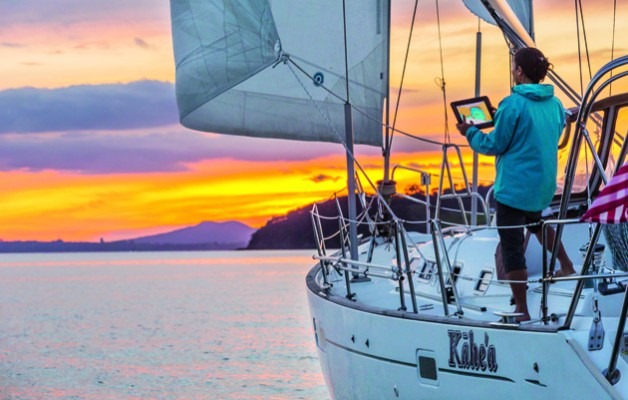
Photo: Tor Johnson
As iPads and other tablets become a part of the arsenal of electronics on board, their versatility, from slave displays and back-up navigation to streaming movies and storing photos, makes them invaluable for a great many sailors. And as apps proliferate and prices of tablets have fallen, the scope is widening. In this feature we look at the best ways of making a tablet or iPad on board work for you at sea.
Low-cost, portable navigation is one of the prime reasons to own a tablet. One of the most popular navigation apps is Navionics’ chart plotting app. Originally produced for the iPad, this app has been instrumental in convincing us there is another, simpler and often more convenient way to use electronics at sea – hardly surprising when you consider the wide coverage and quality of charts available, often for under £30 a region.
There are other vector and raster chart alternatives – for a full review of these, see our online guide here.
But where is the tablet revolution going? How are people using them and which are the most popular apps? To find out we talked to a selection of people, from bluewater cruisers to offshore solo racers and industry professionals, to get an idea of how tablets are being used afloat.
This is not a comprehensive study of all the apps and tablets available, but a snapshot of the marine scene today gleaned from the experience of those out on the water.
Although Apple still have the greatest range of apps in the wider world ashore, the market for marine software and the way you might use it is starting to change so we also look at which tablet to choose.
A world cruising tool
Behan Gifford and her family are cruising round the world, and use their iPads for all kinds of purposes. ‘For navigation we use iNavx (with Navionics charts). This isn’t our primary navigation system; we rely first on OpenCPN, with CM93 charts, running on a computer down below. But iNavx is more than just a nice back-up.
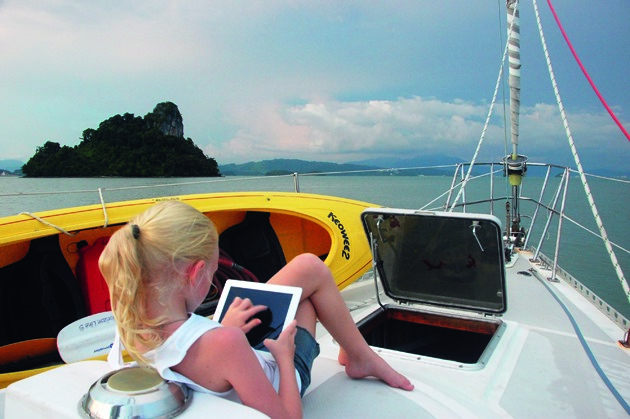
‘Sometimes we’d rather have eyes on the charts from the cockpit, instead of ducking below decks. Other times we’ll find discrepancies in the charts: having two sources is handy; one is not consistently better than the other.
‘For example, we routinely had very, very different-looking interpretations of the same area in Papua New Guinea and eastern Indonesia. Google Earth was sometimes too fuzzy in those areas to be a useful supplement.
‘iNavx connects to the NMEA 2000 network on board, the better to display AIS data and uses our ship’s GPS and weather station data. Google Earth has been extremely valuable for us for atoll navigation this year, and often had more useful navigation data than what was on our charts.
Scoping out an anchorage
‘For real-time navigation I prefer to overlay it in OpenCPN, but the app is still useful to scope out anchorage or snorkelling spots or watch our live progress through an atoll pass.
‘We don’t have OvitalMap yet, but this is top of my list of apps to try, thanks to a tip from Tucker of Convivia. Tucker sets up a route in iNavx – you could use anything that exports a GPX file – exports the .gpx to OvitalMap, then asks the app to grab every satellite image along that route at a specified range of zoom level. The app then caches these sat images so you can refer to them offline later.
‘This is huge. The process to get Google Earth views into KAP files we can overlay on OpenCPN is ridiculously time-consuming. It requires a solid (and affordable) internet connection for an extended time. OvitalMap is a game changer, because it takes those hours (or days) of effort and turns it into a push-button activity. I see “inadequately surveyed” or even just “unsurveyed” on a number of spots in our African destinations coming up, so this will be a big help.
‘We use our laptop for weather info far more than we use our iPad, because the PC connects to our offshore communications tools (HF and Iridium GO!) and because it offers more user control to analyse and interpret information.
‘But sometimes a tablet is handy and for some people a tablet is their onboard computer. You’ll more often find us using PredictWind’s Offshore program on our laptop for serious weather watch or route planning.
‘A tip from Tucker on Convivia is WeatherTrack, which uses your route data and then helps you anticipate conditions forecast for your timing along the planned path. He finds it so useful for reading GRIBs that he goes through the hassle of getting his (HF-delivered) GRIBs to the iPad. We effectively get the same information with the routeing functionality in PredictWind via our Iridium GO! device.
‘In addition, we get information about current, which is a major factor in any significant ocean passage and has been invaluable for passages like those we’ve had across the Indian Ocean this year.
‘Other popular weather watch tools used by cruising mates such as Kim on Britican include PocketGrib, which reads GRIB files you can have sent through saildocs – something we’d probably do on PC, but devices are nice.
LivingEarth, which can be found at earth.nullschool.net, takes the prize for visually stunning display of weather information, but those gorgeous graphics come at a data cost, so we haven’t used it.
www.sailingtotem.com
Behan Gifford and her husband, Jamie, along with their three children, have been cruising their Stevens 47 Totem since 2008. Since first using a tablet on board in mid 2012, the family has found them invaluable for a range of tasks.
In her blog www.sailingtotem.com she describes some of the most useful apps based on their own experience and those of more than 30 other sailors
Apps across the Atlantic
Daria and Alex Blackwell use apps on a Samsung smartphone instead of a tablet and comment: ‘The first, and most important use is as back-up for navigation (I have the Navionics app) and for route planning.
The Navionics app has the same data in it as the full chart plotter. It is brilliant. We use it for pocket navigation around Clew Bay in the west of Ireland and it’s great, even for regions as remote as ours. Integral GPS makes it more powerful than our first chart plotters ever were.
‘I also have Google Earth and can check satellite images when necessary – like searching for dinghy landing sites. Most of this, of course, works only in sight of a mobile transmitting tower.
‘I also use it a lot for tides and weather. I have Passage Weather, Meteo Consult Marine, Navtex, Marine Weather and WindGuru loaded, and I have UK Tides and Tides Near Me.
I also have Marine Traffic and Vessel Finder, which are time-delayed, but give me back-up AIS readings, which include ID of coastal lighthouse stations; in Ireland they all have AIS transponders now.
‘I tried apps like Drag Queen, but I hate to leave the device on all night and our new anchors work so well we no longer worry as much. I’ve just installed Star Walk and Sky View, which are great fun.
‘I haven’t done Celestial yet as we have no reason to use the sextant these days. I would buy it if we were to sail off across oceans again. Google Maps is great for finding things on shore, iTranslate and Google Translate are useful when sailing into foreign waters.
‘I use Secchi Disk and Merlin Bird ID to help with citizen science projects. See & ID Dolphins and Whales from NOAA is good, as is Fish Planet for identifying the catch of the day.’
Daria Blackwell and her husband Alex have cruised their Bowman 57 ketch Aleria around and across the Atlantic and are based in Westport, Ireland.
Blackwell is the PR officer for the Ocean Cruising Club and was appointed chairman of the digital communications and publicity and PR sub-committees in 2014. She doesn’t have an iPad, but uses a Samsung Android smartphone, which she says is big enough to see a great deal of detail.
Which tablet?
Yachting World contributor Henry Bomby considers the alternatives to the iPad
In the past five years the iPad and other tablet devices have had a huge impact on both cruising and racing sailors. For me the most exciting changes are coming with the announcement of the iPad Pro and products such as the Windows Surface tablet.
Apple is behind the game on this one, but I suspect it won’t be long until the power of Apple makes a product that sells better than the Windows device.
The two devices are essentially full-blown computers in tablet form. Everything you can do on a desktop is at your disposal on a handheld touchscreen device.
Why is that important to us sailors?
At the moment we use tablets as either a standalone chart plotter, using apps and tools that are not very powerful when you compare them with dedicated programs such as Adrena, Expedition or MaxSea, or we use tablets to repeat a standalone computer down below running these types of programs in the dry and connected to all the instruments.
So is splashing out on an iPad for your boat really worth it, especially as cheaper Android devices are readily available with seemingly the same functionality? You can buy a Hudl2, for example, from Tesco for £99, the same price as a Lifeproof waterproof case for the iPad Air 2.
In the past, I would have recommended that the iPad was the only way to go. It had the most and best apps for sailing and the budget tablets didn’t offer the processing speed and power. But I believe that is changing now.
Pros of the Hudl
The Hudl2 has an 8.3in full HD screen which is great for charting programs. And with a resolution of 1920×1200 it actually has a higher pixel per inch (273ppi) than the iPad Air 2, although admittedly on a smaller screen.
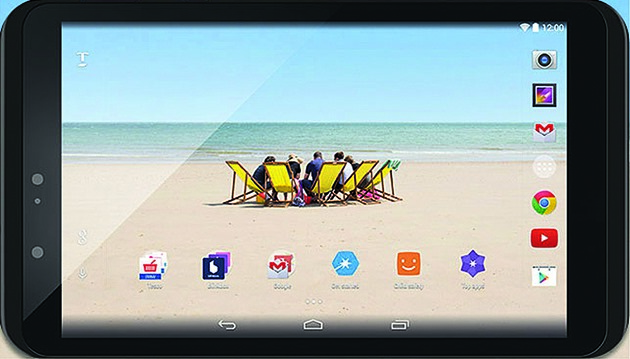
The Hudl2 doesn’t have the same processing power as the latest iPad or iPad Air 2; however, offering 2GB of RAM and a 1.8GHz processor, it has more power than an iPad 2, which is what I currently use and I definitely don’t feel
I need to upgrade for speed. So no problems there.
The Hudl2 also comes with GPS built in, which can be enabled by downloading its own GPS Status software. This is an advantage over the iPad where you have to purchase the cellular version to use the GPS ‘offshore’ or out of 3G range. With Bluetooth GPS devices costing close to £100 anyway, cheap Android devices seem to be the way to go.
I think if my tablet broke tomorrow, I wouldn’t be splashing out on an iPad again. The Android store has all the apps you need now and while the integrity of waterproof cases is the biggest potential weakness, the Hudl2, for example, is designed as a cheap tablet for kids with a case that is splash- and shockproof.
It would be great if a company like Lifeproof made a case for the Hudl2, but at the moment you would have to make do with one of the less convenient waterproof bag-type devices from companies such as Overboard.
Your tablet as a repeater
Marine IT expert Gavin Painter on apps to link to your computer
Although apps are a popular way of running programs on a tablet, on board wi-fi routers and communication apps are now creating a link between the boat’s instruments, and/or a computer down below. This means your tablet can be used as a repeater or slave drive which opens up a range of new possibilities.
“When the big electronics manufacturers such as Raymarine, Garmin and B&G revealed their apps to create a link between their instruments and your tablet, the market for marine apps changed overnight,” says Gavin Painter. “Being able to stream instrument data off the boat’s electronic network to drive applications onto a tablet not only means that you may require fewer instrument repeaters, but also often the quality of your data is better.”
Painter, whose company IT@C specialises in supplying and installing systems aboard bluewater cruisers, sees the advantage to sailors, however, as being even more fundamental.
“The GPS fix alone is likely to be better using the boat’s GPS rather than one in the tablet. The battery life of the tablet will then be better plus it then isn’t necessary to have a cellular-enabled tablet, bringing the price right down.”
But even if you don’t have instruments with wi-fi capability, it is still possible to beam the data wirelessly through the boat using an NMEA to wi-fi adaptor. This takes in the data from your instrument bus on one side and broadcasts it over wi-fi on the other.
Interestingly, despite being one of the biggest-selling navigational apps it is only recently that Navionics has enabled its app to receive wireless NMEA data, albeit just GPS and depth. But this provides an affordable (£99) solution for those simply looking to get the boat’s GPS data onto a cheap, non-cellular enabled tablet using Digital Yacht’s Sonar Server.
The device was developed to provide data for Navionics SonarCharts ‘Live’ technology which helps to redraw the sea bed.
This it still does, but with the added benefit of providing a basic wireless data service.
For a unit that provides a more complete data stream, as well as allowing some areas to be driven from the tablet, look at Digital Yacht’s WLN10HS (£300).
But for some, linking an iPad to the onboard computer or laptop running Windows applications is the issue, rather than connecting to the boat’s instrument system. In this case, a simple free app such as Remote Desktop – RDP Lite, or Splashtop could be the answer. Installing these apps allows the iPad to run as a wi-fi-driven slave screen to the computer below decks.
“Even on big bluewater cruisers we are now seeing owners deciding to go for a tablet rather than big repeater displays,” says Painter, “for the ease with which it can now display information.”
Racing focus
Their main focus may be solo racing, but these two Artemis Challenge skippers have spent many hours trawling through the best apps and weather services available to find out which provides the most effective service whether you are racing or cruising.
Alan Roberts
For weather I use Wind Guru quite a lot for a very basic idea and I also use XC Weather, but mainly I’ll take a GRIB file using a program called Squid. That is a really cool program and is free to download.
For the average sailor it is useful because you can do your routeing in it and you can superimpose competing models – it is really worth getting and I highly recommend it. You can integrate it with Google Earth, so you can look at shorelines and other key features.
For my navigation software I use AdrenaFirst and, as a back-up on my iPad, I have Navionics. They are a very different. The iPad is really a back-up and doesn’t allow me to get AIS, but the charts are quite clear and Navionics works well as a second opinion, but my primary reference is to Adrena.
There are a lot of apps out there – I use the North Sails Scan App, which allows you to take pictures looking up the sail and you can record, for a given sail, sail section or camber, what happens to the sail in different settings and what you are achieving in terms of trim. It also allows you to log the hours you use for a sail and so on.
But with all these things I usually end up making my own programs that suit my own layout and what I am trying to achieve. Primarily I use the boat computer all the time, but with the iPad I run a screen-sharing capability on board using a local network. So I relay to the iPad, which is great when I am sitting at the helm where I can look at it.
Sam Matson
For navigation, alongside Adrena, I use the MaxSea TimeZero package which is very similar to Adrena – a few of the French Figaro sailors actually use it as primary source on the boat.
I’ve got it on my iPad as well, which provides me with another chart base. It has all the raster navigational charts (direct copies of an existing paper chart) for MaxSea and all the CMAP charts for Adrena and it is always useful to compare the two.
It is certainly a handy app to have on your iPad. It is quite expensive, but it is another back-up source and different from the Adrena information I am getting. You can never have too much information.
The best thing I put on my boat this year is something called a Weatherinfobox, also known as the WIBE. That provides me with synoptic data and downloads charts to my computer. That’s really handy – it gives me all the Navtex information and the synoptic charts. It works off long wave frequency, so it’s the equivalent of having a long wave radio on the boat. I think fishermen use it offshore.
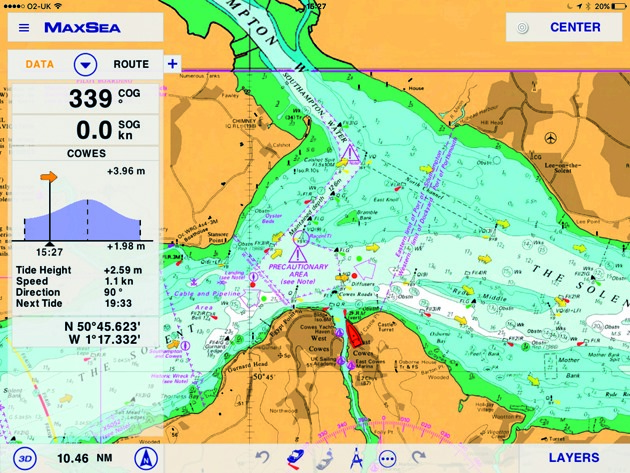 MaxSea Time Zero
With weather sites, it really depends where you are sailing and what is best for that area. When I go to a new area I will spend a couple of days searching online, just looking for the best weather sites for that area.
I use an iPad and I have an option to link that to my screen down below. The coolest thing at the moment – which some Figaro boats are using – is to run a wireless transmission of all your NMEA data. It takes all the instrument data, feeds it into a wireless router which can then be picked up on a smartphone or an iPad and it will act as another display on the boat.
So for people who have limited displays or a limited number of displays, by fitting a wireless transmitter and then downloading the right app – whether Raymarine, nke or B&G – the instrument data can appear on your iPad or smartphone. It can be any data the boat is picking up – GPS data, wind data, boat speed, etc.
26 ways to use a tablet afloat
Summary of our experts’ choices. Not all are apps; some are programs run on a computer or instruments that can be viewed on a tablet
NAVIGATION
iNavx Versatile app for reading raster and vector charts. Can overlay GRIB files. £39.99
Navionics Market leader navigation app, easy to use routes and quick. From £15
Open CPN A full-featured chart plotter and navigator application. £7.74
Ovital Map Cross-platform map browser supporting offline views of Google Map, satellite map and terrain map. Free
Squid PC software to download and view GRIB files. Free
AdrenaFirst Cruising navigation software for PC. €465.85 (£338) ex VAT
MaxSea TimeZero Entry-level version of one of the best-established navigation software packages for PC. £397
WEATHER
PredictWind Combines sophisticated wind/weather prediction technology with local topography maps for hi-res forecast. £19/yr
WeatherTrack Weather app for iPad. $9.99
PocketGrib Weather data app including wind, precipitation, pressure, temperature, waves, etc, from GRIB files. £4.49
Google Earth Widely used by cruisers. Free
Meteo Consult Independent supplier of weather forecasts for Apple products. Free
Navtex Marine Weather Android app for weather info. Free
Navtex Pad As above for iPad. £2,29
Wind Guru Wind, wave and weather data. Free, but subscribe for better resolution
XC Weather Formerly an app, now a mobile service online www.xcweather.com. Free
GENERAL
Marine Traffic & Vessel Finder AIS Live vessel-tracking service. Free
Drag Queen Simple anchor alarm provides distance and GPS accuracy. Free
Star Walk Stargazing app for mobile device including extensive info on stars. £2.29
Sky View Another sky gazing app for iPhone and iPad. Free
iTranslate Translation app for over 90 languages for iPhone and iPad. Free
North Sails Scan Assess the shape of your sails compared with optimal shape. Free
Secchi Disk Android mobile interface to global study of phytoplankton in ocean. Free
MerlinBird ID iPhone/iPad/Android app for bird identification. Free
See & ID Dolphins & Whales Identify and learn about dolphins, whales, seals and manatees. Free
Fish Planet Encyclopedia of 550 major species of fish. Android app. Free
—
 Looking back on this