TechFriday: Reject and block annoying phone calls

Posted By on April 3, 2015

nationaldonotcallregistry
Ok … so you’ve done your part and registered your phone numbers with the National Do Not Call List and you’ve done your best to keep phone numbers from undesirables … BUT you’re still getting annoying calls (and text messages!) Below is the new (1) iPhone (Settings>Phone>Blocking) method to block phone numbers from your smartphone and the old (2) method to semi-block those settingphoneblockedautomated dialers that refuse to give up (older iOS and some other smartphones). 

1. iOS iPhone with Settings > Phone > Blocking

With the newer iOS there is a build in blocking feature enabling you to enter the contact or contacts that you want to block. Go to “Settings,” scroll down and select “Phone” then “Blocked” and enter your contact.

2. Add them to your contact with a “silent ring”

The phone number by number “blocking” technique has been around for a while and I’ve used both on my Palm phones (Samsung i500, Treo 700/700p and Pre) and current iPhones. The technique has been posted and reposted on a few blogs … and I have a few listed on my contact list — SPAM, Ignore, Marketing, etc. The list continues to grow and if I were to do it over again, I’d probably create “one” contact and list all the number under the contact name BLOCKED and only assign “silent ring” to that contact (right-click/save-as SilentRing.m4r and follow the instructions below).

Here’s how to add the Silent Ringtone to your phone:

  1. Download a silent ringtone to your computer.
  2. Open iTunes. Under LIBRARY on the left-hand menu in iTunes click TONES.
  3. Copy the silent ringtone into TONES.
  4. Connect your iPhone to the computer and sync (make sure Sync Tones is checked). The silent ringtone should now appear in your list of ringtones and you can assign this ringtone to specific contacts

Here’s how you assign the ringtone to the number you want to “Block”:

  1. Open Phone App.
  2. Go to RECENTS on your call list and click on the arrow to the right of the number for more options.
  3. Select Create New Contact.*
  4. Fill in the name field, I usually put SCAM or TELEMARKETER so I know at a quick glance in the future.
  5. Select on the ringtone currently shown as Default.
  6. Choose the SilentRing ringtone from the list.
  7. Press the SAVE button.
  8. Depending on your default settings you may also need to set Vibration to NONE.
  9. Press the DONE button in the upper right hand corner of the screen.
  10. Now when that number calls again you’ll see the call as SCAM (or whatever you entered) but it won’t ring.

Credit: davidmehary.com
Video: Miami University (Ohio) Aerial Campus Tour

Posted By on April 2, 2015

If you are interested in or an alum, you’ll love visiting Miami University in this way …

Who doesn’t have a favorite photo on their desk? #TBT

Posted By on April 2, 2015

KatelynRichTaylor_DeskPhotoOne would think with a nisus to reflect on the good ol’ days more than I should … and as a long time photography buff (had my first darkroom when I was in 7th grade!) … that I would have been one of the first to participate in the Throwback Thursday trend? Nope … slow to the party, but better late than never, even iit I did include a couple #TBTs in 2014.

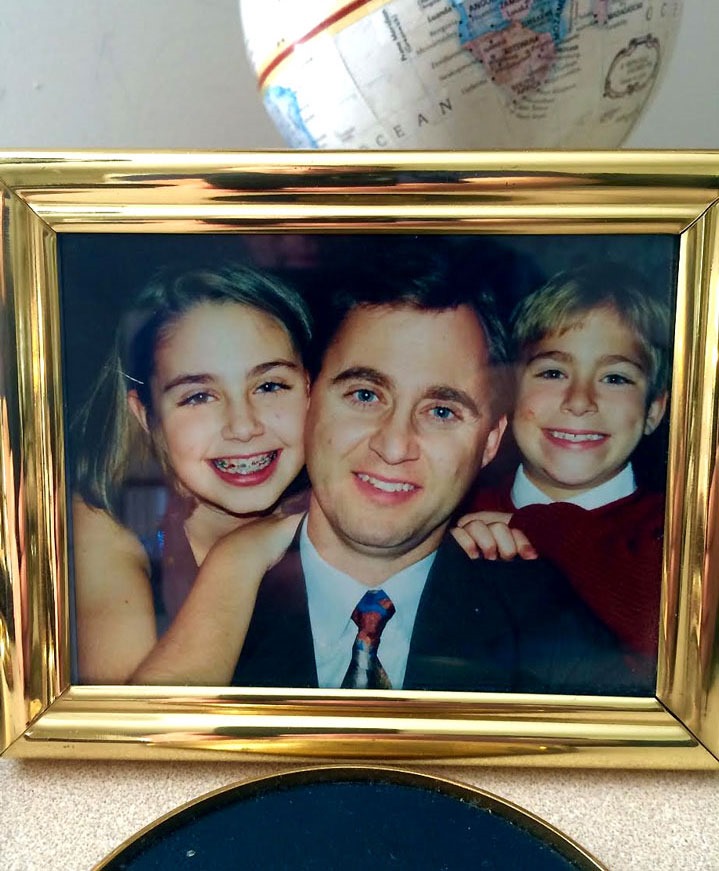
On my desk sits a favorite photo of my kids from a few years ago (sorry Brenda, you’re not in it). I can’t help but smile knowing that they are just as happy today as they were back in the 1990s. What great satisfaction there is knowing that we has parents did a pretty good job … and had a great time doing it! In case either Katelyn or Taylor stumble across this post … I love you guys!
Smile

Typical risk-off trades – DJIA ends 1st quarter 2015 in the red

Posted By on April 1, 2015

gold_150401_BIchart

Watching the commodities today … particularly oil and precious metals. In the “classic risk off trade,” when stocks are selling off, gold rises (chart right – Business Insider).

Looking a little more down the road, investment banks who follow crude oil futures see the price on a slow rise after a weak winter and spring. A few bankers are predicting lower lows before a slow recovery (interesting chart below), likely due to excess inventory, abundant supply and weakness in world demand. So much for “peak oil.”

CBgyk5sWkAAxwGP

The Mercedes Benz 300D Turbodiesel after a winter slumber

Posted By on April 1, 2015

For those of us who love diesels, the sweet sound of an old Mercedes Benz diesel idling is indeed a beautiful mechanical sound.

Below is a very short clip of my 1982 300D Turbodiesel waking up after the winter of 2015 hibernation. Really it is just a filler post since it is a busy week after a long weekend awayno foolin’.
Smile

[adinserter block=”2″]

Great White Sharks are pretty intimidating

Posted By on March 31, 2015

A large great white shark photographed by Greg Skomal off the Cape Islands on the Massachusetts coast. Hard to imagine a more intimidating killing machine.

[adinserter block=”6″]

The Treasure Coast was a popular place this weekend

Posted By on March 30, 2015

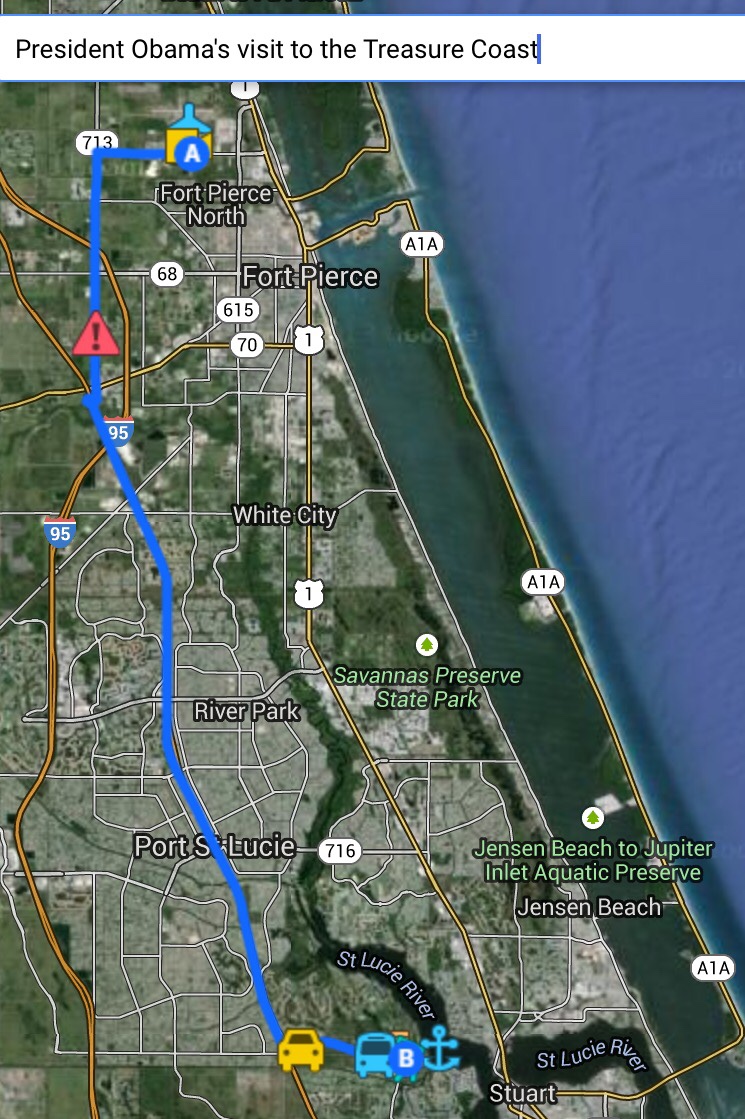
After the rain on Friday (above), the weather improve for a weekend finishing up a long drawn out engine work (plus a few other repairs) to Encore at the marina in Florida. The weather improved and was high 70s on Saturday and Sunday but with the north wind felt cooler in the shade.

I wasn't the only one in Fort Pierce (photo right)…

It's too bad there isn't a scheduled flight in and out of St Lucie International Airport in Fort Pierce, Florida … like Airforce One. Sure must me nice to schedule a golf weekend and have the 1st class trip paid for by taxpayers. On the other hand, it would be far more convenient to fly into FPR “if they had scheduled flights” than Orlando, West Palm Beach or Fort Lauderdale. Oh well, no complaints really!


The Color of Pee — Cleveland Clinic

Posted By on March 29, 2015

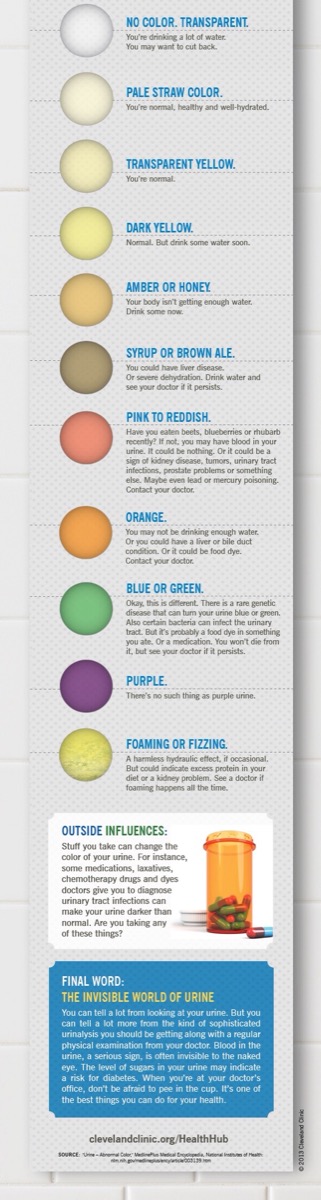
It has long been known that the color of urine can give doctors a insight into a patients health. For most in our day to day lives, it is a good way to monitor IF we are drinking enough water.

Check out the info graphic below or the Cleveland Clinic Health Hub.

Creative Anchoring: Everything about Anchors and Anchoring

Posted By on March 28, 2015

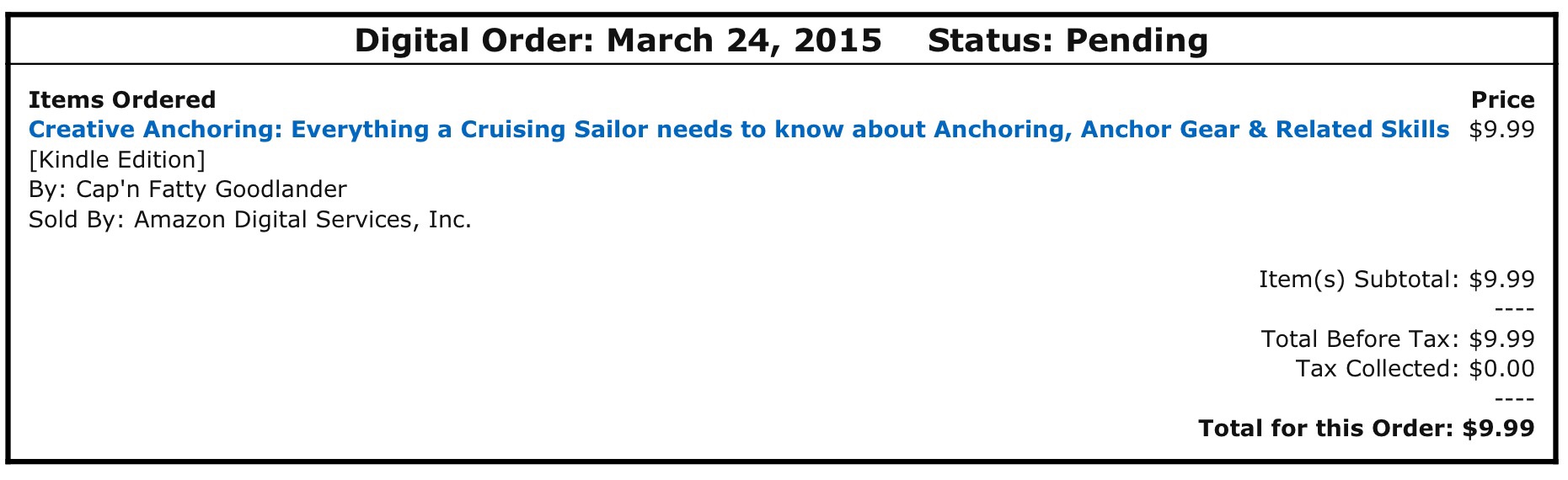
One of my favorite sailing authors Fatty Goodlander has a new book, Creative Anchoring: Everything about Anchors and Anchoring, and it is now available. With some travel ahead I opted to purchase and download the ebook to my iPad for $9.99 at Amazon. Fatty's writing style is always entertaining be it a magazine article, sailing tale or educational cruising book. Since I follow he and his wife Carolyn on a couple of social networks, I also enjoy doing my part in keeping his vagabond sailing lifestyle in “freedom chips.”

Currently they are holed up in New Zealand, but I sure are anxious to continue “one again” sailing around the world … this time in their new boat Ganesh (rather than their long time smaller boat Wild Card). Fatty Goodlander is a prolific writter and has hundreds of articles to his credit not to mention several very enjoyable books. If you read one, you'll want to read another.

This practical, down-to-earth, step-by-step instruction manual isn’t merely about the basic mechanics of how to anchor—but how to anchor safely, while enjoying your boat more comfortably, in a far greater number of exposed anchorages. It contains everything a cruising sailor needs to know—including the proper cruising attitude and philosophy in relation to international anchoring-as-a lifestyle—and much, much more! It takes a completely new, totally unique “sea gypsy” look at the art and science of anchoring in today’s shrinking world. And, it does it from the penny-pinching perspective of a confirmed “economically-challenged, ever-restless” World Cruiser.

What other book on anchoring contains information on heaving-to, sea anchors, and Jordan Series Drogues? Flopper stoppers? Shore jackals? Dinghies? Anchor weights. Being tide-bound. The Etiquette of dragging. Land sharks. Snubbers. Doing WHAT to a coral head? Cheap DIY moorings. Arming your lead. Fish finders. Aground! Kedging off. Grappling hooks. Chain hooks. Lunch hooking. Hiding a sunken vessel under a floating vessel. Welding cables. Keep-away anchors. Free anchors. Cheap anchors. Free chain by the ton. Salvage. Karma! Sea Swine! Sex and Romance! Dirt Dwellers!

What special precautions should you take while anchoring in very shallow water? How to realistically anchor in 200 feet of depth? And what is the Key Concept to being able to anchor safely—year-after-year—where most sane yachties fear to tread?

It’s a book that only Cap’n Fatty would dare pen—written in his own inimitable, laid-back style.


TechFriday: Playing with Periscope from Twitter

Posted By on March 27, 2015

periscope_cnbc150326all

I wasted a couple hours on Thursday morning while “working” (cough, cough) from home and downloaded the Periscope app for iOS on the iPhone.  To the novice “tech geek,” these live broadcasting social networking apps will soon have the Internet filled with video streams. Currently I’m seeing broadcasters like CBNC’s Julia Boorstin (above) jumping on the bandwagon and testing things out on the air. But as apps like Meercat (live video on Twitter) and Twitter’s Periscope take off, I’m beginning to wonder how culpable the “network” becomes. I’m thinking about underage children broadcasting live video using the conduits connected to Twitter, Facebook, etc as well as other crimes or terror publicity clips?

Streaming live video isn’t new, considering ustream.tv has been livestreaming for years, but connecting with an audience using a cellphone the size of Twitter’s and Facebook’s is taking it the next level. So far it makes live broadcasting of “breaking news” by everyone with a cellphone a reality. It will be interesting to see just what grows from having the ability to connect instantly with a social networking audience and have a decent quality live video (and audio) feed pumped in realtime throughout the world.

Now to fine time to watch more Internet video???

EDIT: Watch Bruce Van Horn walk around his lake over his lunchbreak on his iPhone and earbuds … very nice. I sent a few messages to him as he responded back audibly while walking. Wind noise and image quality of a moving iPhone does degrade quality so including image as an example. Still very cool.

IMG_4921

Desultory - des-uhl-tawr-ee, -tohr-ee

  1. lacking in consistency, constancy, or visible order, disconnected; fitful: desultory conversation.
  2. digressing from or unconnected with the main subject; random: a desultory remark.
My Desultory Blog