Posted By RichC on November 20, 2020
It has been a while since I’ve compared scanning format and compression option when it comes to down and dirty document scanning.  For the most part I either scan straight to PDF and live with the document (or shrink it, but that’s another post) … or go straight to the old fashion universal jpeg or jpg (used for the same). Of course the scanner setting have a lot to do with it, but for this test I’m leaving my Epson WF M1560 set exactly how I’ve been using it for a long time now.
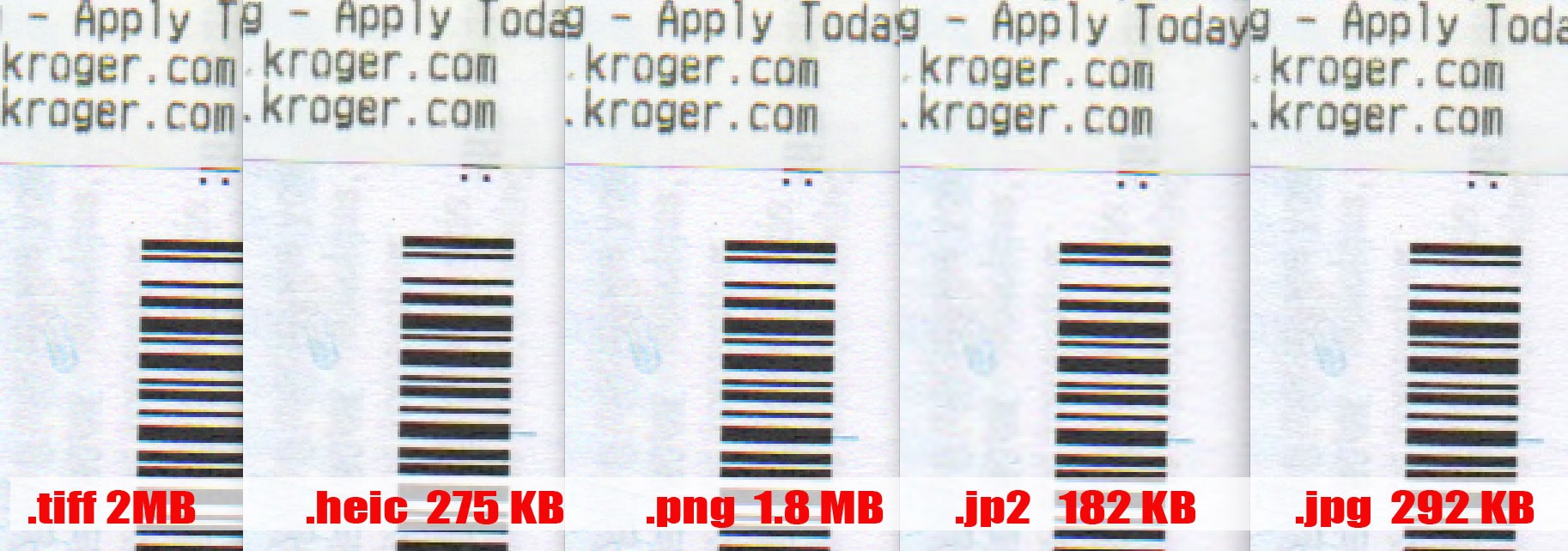
The reason the question came up was due to the JPEG 2000 format which offers much better compression (see below). So first the comparison of a scanned receipt at 150 dpi with slight watermarking and the exact sizes of the final scan for each format (that is all that was changed .. the format).
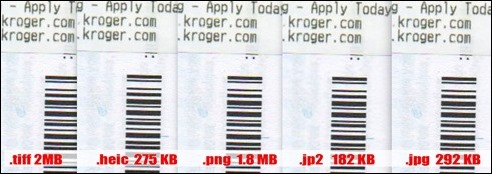
Click for Larger
To my eyes at this lower quality quick scan, there is no different is document quality. I’m not sure I’ll change my ways, but I’ll likely continue to use the .PNG for screenshots, the .GIF for animated and where transparency is needed and either my original JPG or possibly JP2 (jpeg 2000) going forward.
Part 1.
JPG vs. JPEG a. What are JPG and JPEG Format
Standing for Joint Photographic Experts Group, JPEG is a raster image file format that uses lossy compression (in the ratio of 10:1 to 20:1) and is used by the digital cameras and other devices. The format is majorly used for storing as well as transmitting images over the net.
Talking about JPG format it is same as JPEG and both the formats can be considered as interchangeable. The major difference in both the formats lies in the number of characters used in their extension. JPEG uses .jpeg (4 characters) as an extension while .jpg uses 3 characters. The original .jpeg extension was cut short to .jpg as the earlier Windows versions (MS-DOS and FAT-16 file systems) supported only a three letter extension for the file.
The limitation for the number of characters in the extension was restricted only to Windows and DOS users while UNIX and the Mac users continued using the .jpeg extension. However, the new versions of the Windows support more characters in their extension but the majority of the people have been used to using the JPG file.
So in nutshell, there is no difference between JPG and JPEG image format. JPG is the outcome of the Windows and DOS limitation, and now is one of the most commonly used formats.
Part 2.
JPEG 2000 Knowledge
(more…)
Category: Advice, Computer, Photography, Photos, Technology |
No Comments »
Tags: compression, epson, format, gif, heic, images, jp2, jpeg, jpeg2000, jpg, lossless, png, scanning, scans, tech friday, techfriday, tiff
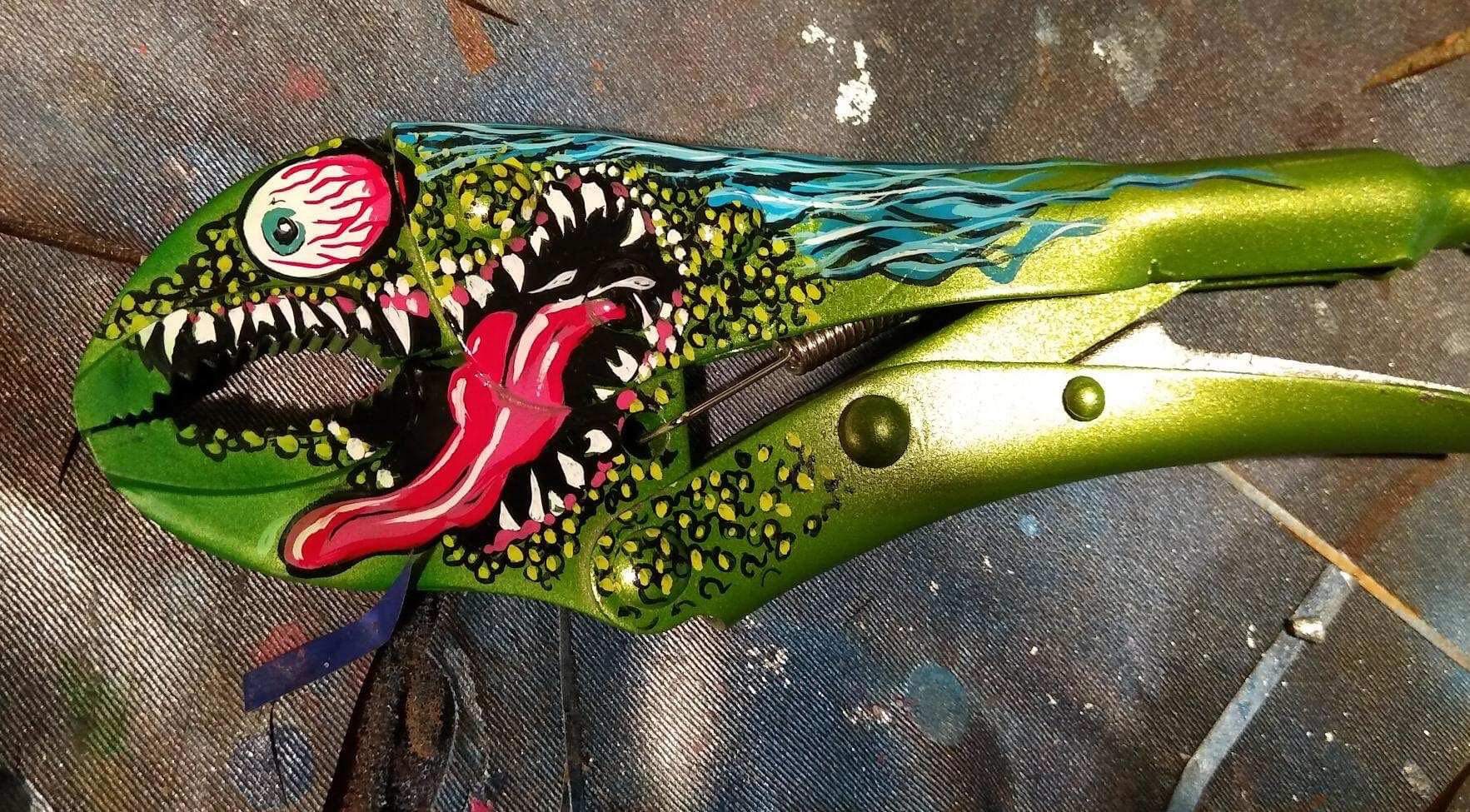 Personally I don’t want my tools looking like this, but I do admire the effort and creative talent it takes to do this. It does remind me of my grandfather who always painted the handles of his tools bright red .. I still have a couple of them.