Happy New Year – Make the most of each day this 2019

Posted By on January 1, 2019

HappyNewYearanigif

This year our our 2018 Christmas letter included a quote by the Dalai Lama and it reminds me that our time on earth is finite. Once a grain of sand has passed through the hour glass, it is gone … so make each day count this 2019.SunsetHourglass

There are only two days in the year that nothing can be done. One is called yesterday and the other is called tomorrow, so today is the right day to love, believe, do, and mostly live.   – Dalai Lama

Growing up in the 1960s and 70s, it is obvious that the decades and memories from the last century are “the shrinking part of my life.” We are now almost 20 years into the 21st century, meaning nearly one half or my adult life has taken place in the 2000s (yet I continue to act like prepping for a Y2K computer meltdown was just yesterday). A reminder over the holidays came when a 7th grade teacher mentioned that to his students, anything pre-911 is considered ancient history!
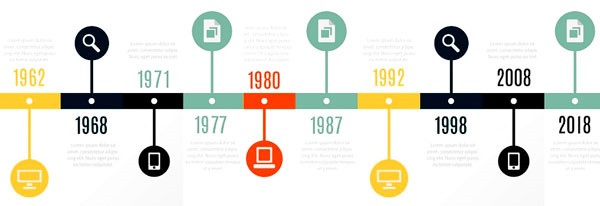
LifeTimelineGraphic

Upon reflection, I thankfully have very few regrets and would like to continue down that path. There weren’t many things left unsaid to my mom or dad, or mother-in-law and father in-law, before they passed.  I regularly reinforce just how much I love my kids and granddaughter … and live life to the fullest each day, week and year. My “walk with the Lord” could always use some improving … and perhaps focusing more on that in 2019 is a great New Year’s resolution?

 “Each day is God’s gift to you. What you do with it is your gift to Him.” — T.D. Jakes

I am so thankful that the Lord has SO bountifully blessed me with His mercy and the undeserving gift of grace … and the surety that accepting Jesus Christ as my Savior, I have eternal life. I want the same for you and would welcome a chance to share the Gospel with you.

“My gift of undeserved grace is all you need.”  — 2 Corinthians 12:9
Amen!!!
Music Monday: Jumpin’ Jack Flash from FIFTY years ago!

Posted By on December 31, 2018

This content is restricted.

If you have a workshop, you need a few medical instruments

Posted By on December 30, 2018

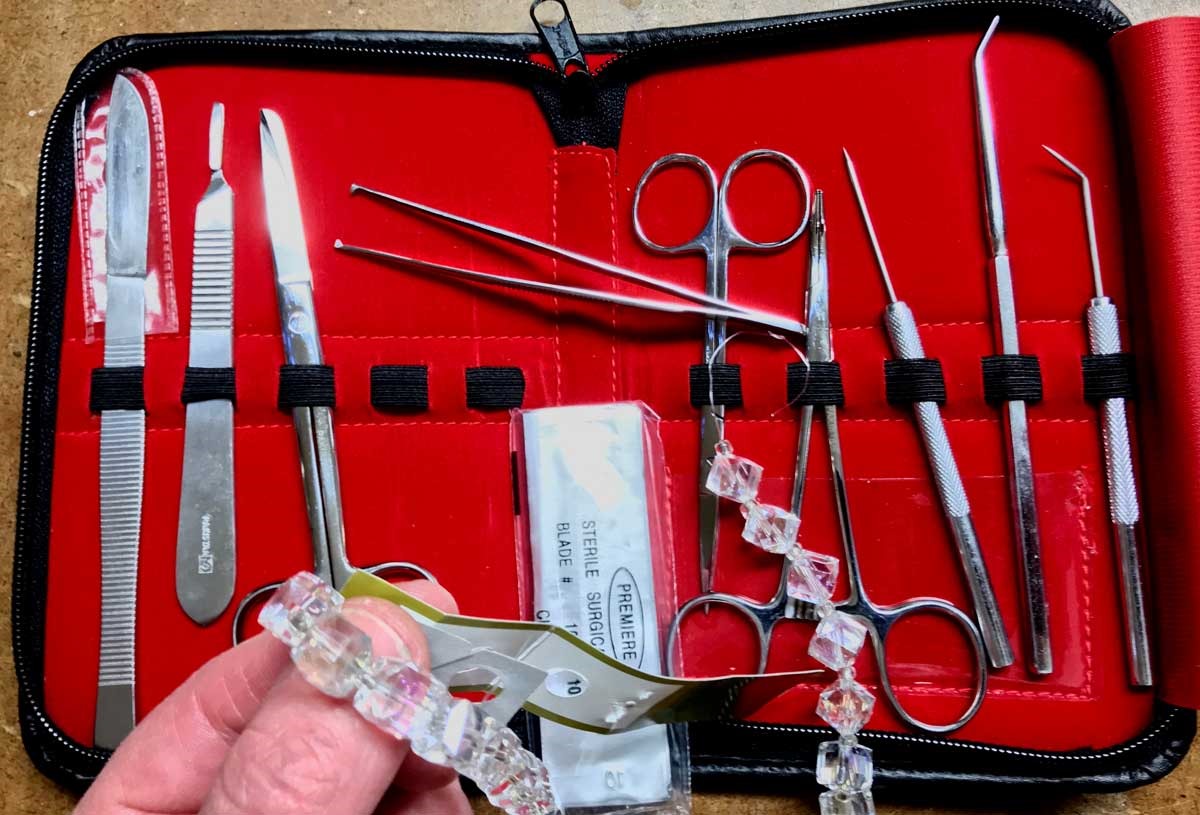
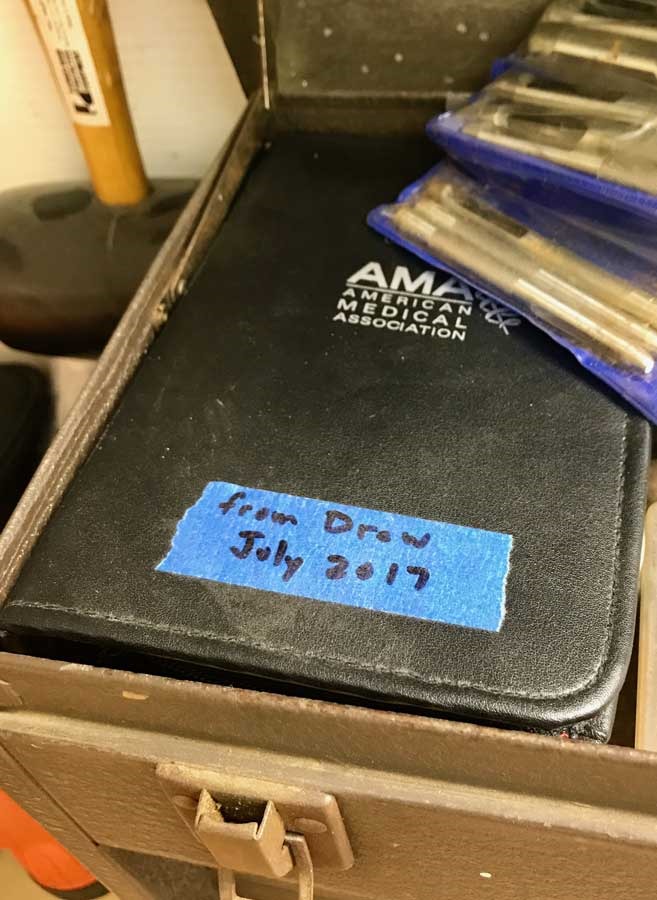
MedToolsDrew2017Twice this past week I used medical instruments in my workshop. The first repair was to use a non-needled syringe to suck out some moisture in a pump switch … thanks Brenda, it was handy (although I have used them before “with a needle” for delicate parts lubrication). MedToolsHandy181226

Second, was to use the surgical instruments given to me by my son-in-law Drew to tie a bowline in a very short monofilament line – this zipper pack of tools is SO HANDY!

In the past, I’ve also used a variety of dental picks from my father-in-law … everyone should have at least a couple of these medical instruments in their toolbox! 

iPhoneDustPick181108

Cheap and easy tight-spaces snoots for the central vac

Posted By on December 29, 2018

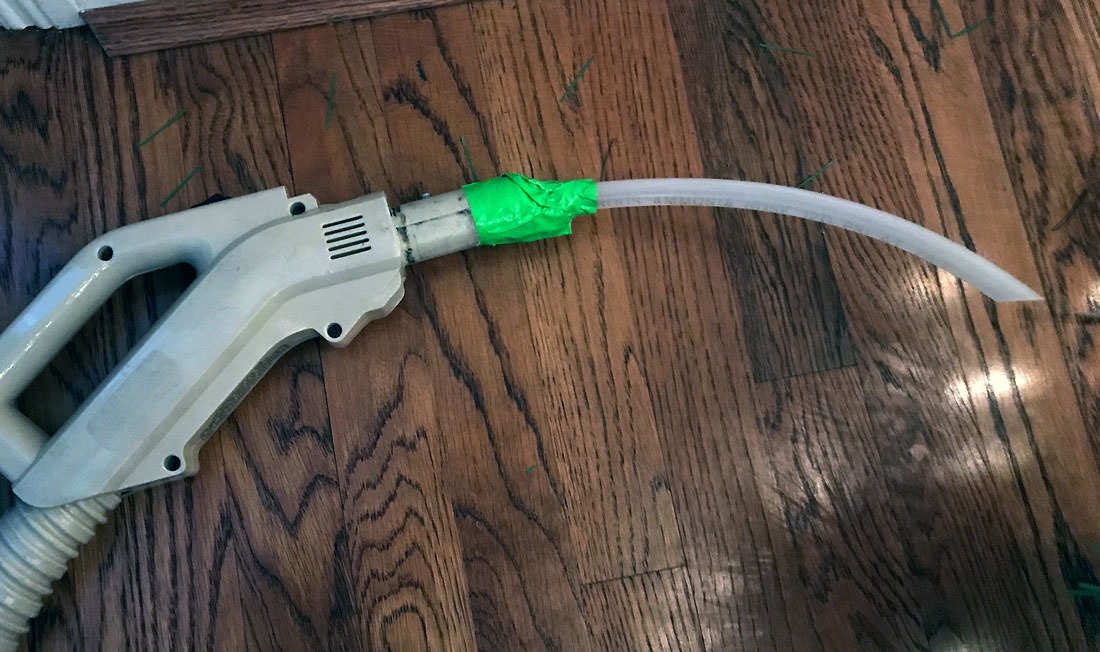
SnootForVac181228aA little central vacuum cleaner modification with a short snipped segment of polyethylene tubing did the trick for cleaning out some lint build-up in the laundry room. Brenda was having a difficult time with the normal sweeper tip, so just like the home-made snoot for under the refrigerator, I duct taped a plastic tube to get under the lint cleanout screen on the LG stacked dryer.

Tech Friday: Are Windows registry cleaners hokum?

Posted By on December 28, 2018

Those of us who manage our own computers likely do our share of “desktop” cleaning and are regularly warned by our anti-virus software that we need to do more than prevent viruses and hackers from accessing our computers. avastcleanerreport

The current “free” anti-virus companies all push to sell their paid software … and regularly highlight registry problems … no matter how many times you regularly clean/correct/fix it with their tools.

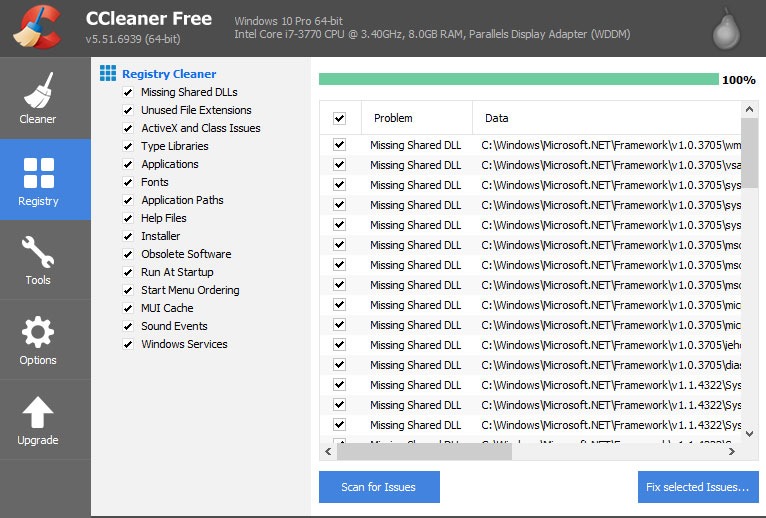
For my part, I habitually use CCleaner on my Windows 10 installs. I happily upgrade each version and click the “Run Cleaner” button at the end of a week thinking “I’m clearing out the crud.” In recent years CCleanerRegistryButtonI’ve even gone so far as to run their registry scan and it always finds something highlighted under the “problem” field. I click the “Fix selected issues” button and voilà it gets magically fixed. I feel good and move on only to do it all over again after checking it again.

Hm, what do others like MalwarebytesLabs and Microsoft think about “cleaning the registry?” It might be a lousy practice and could end up causing problems. I may re-think my practice and side with those thinking it is a marketing ploy to sell their computer scanning packages?

ccleanerregistryscan

What Is A Registry Cleaner?

Registry cleaners came to prominence over 10 years ago when computer performance was nowhere near as fast as it is today. Essentially, a registry cleaner is a tool that scans your Windows registry for registry keys that are of no use, or potentially leftover remnants of malware that has been removed. It then gives you the option of removing this dead weight in your system. Vendors of registry cleaning claim that by cleaning up the Windows registry, you have an opportunity to speed up your computer. Or at least this is what Piriform wants us to believe.

Do We Actually Need A Registry Scan?
Quite honestly, no. You see, Microsoft has refused to release their own registry cleaner tool, or endorse any third party registry cleaner. And this is within reason. Microsoft’s stance is that they don’t want users messing with the registry since it probably brings attention to the most bloated part of Windows. Simply put, messing with your Windows registry without knowing what you are doing can trigger serious errors that can render Windows inoperable.

If this is true, why do so many people choose to use a registry cleaning tool like CCleaner?

Piriform’s CCleaner is Snake Oil
Piriform (now owned by Avast) is run by smart individuals who get marketing. Do not let them fool you. They want you to believe that their Windows registry cleaner is the 2nd coming. Piriform has cashed in on our eagerness to increase PC performance and fed into our undying euphoria of deleting things on our computer that we believe are useless. Piriform and CCleaner aren’t the only ones out there. Others include the Wise Registry Cleaner, Glarysoft Registry Repair, Frontline Registry Cleaner, and Auslogic Registry Cleaner.

LINK

You too can restore a cast iron skillet like Jon Peters

Posted By on December 27, 2018

When Brenda and I were first married, we started off cooking with a cast iron skillet. It was “old school” even 36 years ago to be using our old Wagner cast iron (were made in Sidney, Ohio), but there was something great about using those big heavy “somewhat” greasy skillets in our little two bedroom house.  But as new parents, life gets busy, and we opted for simpler non-stick skillets (junky ones actually) for the ease of cleaning and storage.

Fast forward to my son Taylor needing kitchen gear for his apartment and the “retro” guy he has become grew interested in cooking with cast iron. It is great to see him enjoying our old skllets (and I think my mom’s too?) and preferring them over other pans. So here’s a video from one of my favorite woodworking guys, Jon Peters … just in case our old cast iron skillets up needing some refurbishing.

A limited Corbett-Oostra family Christmas photo recap for 2018

Posted By on December 26, 2018

This content is restricted.

Christmas Morning 2018 Time-lapse

Posted By on December 25, 2018

Every tech-loving guy needs a subject for a new gizmo … my son-in-law Drew is no exception. He set up his new GoPro-like camera (gift from Katelyn) to time-lapse our Christmas morning. His effort was a little bit too fast for me to watch … so I stretched out the MP4 clip to last almost 30 seconds (it is still speedy!). New gadgets are always fun.

Christmas 2018 project photos – a Maple Piggy Bank for Annalyn

Posted By on December 24, 2018

This content is restricted.

Added TimeMachineEditor to iMac after Mojave update issues

Posted By on December 23, 2018

TimeMachineEditorInstall181

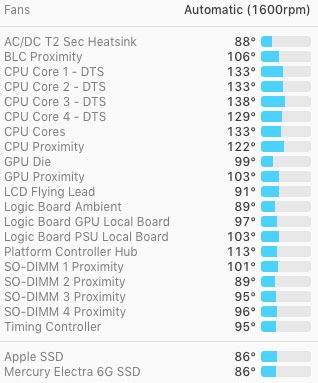
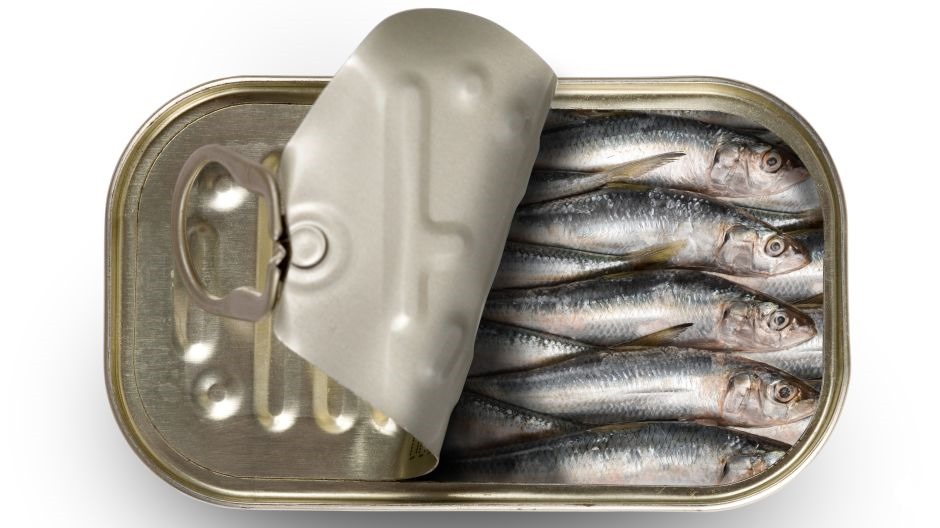
iMacTempertures181219After my recent issues with my overheating iMac, I’ve become a lot more fastidious about what software I keep running and tax the quad core 3.4 GHz i7 chip. Frankly I still don’t think the relatively light computing demands asked of this aging Mac are all that much, but Apple has sardined in a lot in this tight little package. I continue to monitor temperatures and run my own set of rules on controlling the fan.

sardines

Admittedly running Parallels on the iMac with a matching 27” Apple Thunderbolt Monitor is probably asking a lot … especially since it is used primarily for a couple real time browser-based online broker platforms AND a Java-based trading station from yet another vendor. Still, the idle CPU demands are not all that significate during morning start-up, even if they do heat up by the end of the day or when the office gets warm (I still suspect the cooling inside the iMac is not the best … and that the thermal paste between the processing chips and heat sinks degrade over time?)

iMacCPUload

Back to “fastidious” … I’m now also more focused on my Time Machine back-ups than before, but really don’t want it performing a back-up in the “heat of the day” when I want to keep the CPUs cool and available. So, enter TimeMachineEditor (screenshot at top of post) as a way to prevent back-ups from occurring during the day. So far, so good … you might want to give it a try (it seems to be working with MacOS Mojave).

Desultory - des-uhl-tawr-ee, -tohr-ee

  1. lacking in consistency, constancy, or visible order, disconnected; fitful: desultory conversation.
  2. digressing from or unconnected with the main subject; random: a desultory remark.
My Desultory Blog