More fun with the Palm Pre and GPS in car use

Posted By on June 8, 2009

My new smartphone, the Palm Pre, is growing on me and although I’m slow to change the smooth skipping stone of a phone is growing on me. Productivity with it is not happening just yet since the keyboard layout has change over the Treo and Centro line (moved some keys around). I’m am surprised how much I miss the 4-way nav button on the Treo … or even a track ball (which wears rather quickly BTW according to users) on the Blackberries. Still, just like the iPhone, people can get use to sticking their fat finger between type or pinpointing  a small icon — I’m learning.

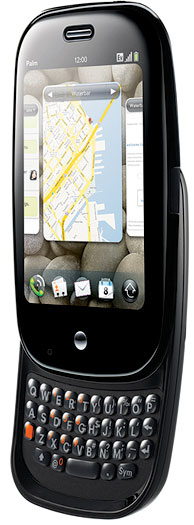
Palm Pre

I’ve made a few corrections in the comment area of yesterday’s post since I’ve since improve my ‘editing’ (copy/paste) with type; you hold the shift key down and finger swipe the area, then orange (opt) key with  ‘x, ‘c’ or ‘v’ key to cut, copy and paste.

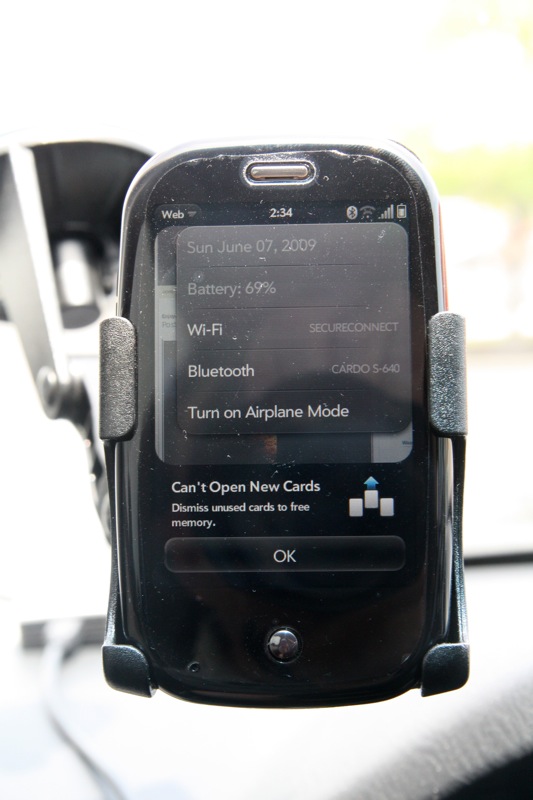
Palm Pre with Treo mount

I’ve also posted a photo (with the packing skin still on!) running the excellent GPS and Google Maps. Sprint also packages their app called Sprint Navigation which is really good. Thankfully my old Treo windshield holder fits the Pre almost perfectly for GPS use … now to figure out how to rig a “Touchstone-like” induction charger to my holder! (keep me posted if you see them showing up or I’m liable to make my own)

One of the many improvement over other smartphones is that the Pre and Web OS can run multiple apps … probably as the sacrifice of battery life. In my testing, I was able to run the GPS mapping and talk on the phone keeping 9 cards open. Unfortunately that was my limit.
:mrgreen:

Palm Pre 9 apps is the limit today

Connected at Wendy’s WiFi in above photo

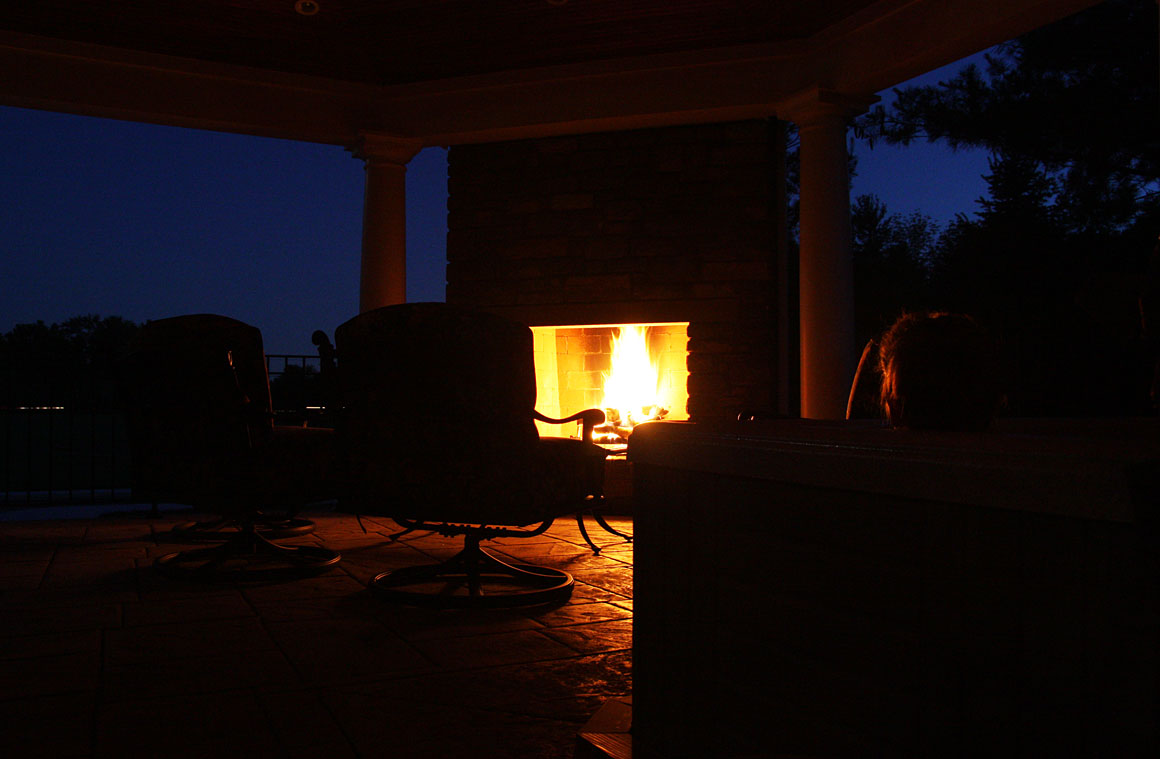
Enjoying a fire on the back porch & the new Palm Pre

Posted By on June 7, 2009

Fire on Porch

Enjoying a fire on the back porch and a some relaxation in the hot tub after a couple of graduation parties. Of course the highlight of my day was picking up the highly anticipated Palm Pre smartphone as a replacement to my Treo 700p. My first impression is WOW! … followed by a less enthusiastic … “hmm, there are going to be frustrations.” Nevertheless, I was excited to finally get the Pre and spend a few hours between graduation parties to play with it … before killing the battery. One of the really interesting ‘extras’ is the Touchstone charger which magnetically adheres the phone to the wedge shaped puck rather than plugging in a tiny USB plug for every charge. I can see that this is going to be a ‘must have’ accessory.

I’ll start with the top 5 great features and 5 not so great irritations:

Great:

  1. Design – from the small smooth size, sharp crisp screen, physical slide out keyboard and high quality packaging, Palm has outdone themselves … and maybe even Apple?
  2. Cards – the Web OS card and gesture feature make running multiple apps very easy
  3. WiFi – Shockingly I didn’t know how much I was going to appreciate having high speed network access beyond 3G phone connectivity.  A big plus.
  4. Bluetooth works very well. I placed my Pre on the Touchstone charger and walked through most of my house while talking on the phone. A great feature particularly since the headset switched seemed to work well. (Hmm … need voice-dialing now???)
  5. GPS with apps – This is going to be a really helpful feature. It located me to “the room” in my house based on Google Maps satellite view and was great for updating Weather using the super simple (although lacking) “Web OS Apps Store.”

Not so great … at least for now:

  1. Sprint porting of 3000+ contacts and several years calendar data (other info) from my old Palm Treo 700p did not work as I was told. Another person had the same problem while waiting there and with a shoulder shrug the Sprint Store tech didn’t know what else too do.
  2. One push speed dial and voice dial hasn’t been figured out yet … if it is available?
  3. Copy, Paste is on every menu … but I’ve yet to see it work on a single application. Email is very frustrating without it. On top of that, I’ve not been able to figure out how to “select” text either by the old “select all” command or touchscreen selection? This might be my problem but makes editing a doc or email very irritating.
  4. Editing of contacts that have been imported from other places … ie. Google, Yahoo, IM contacts.
  5. Camera – Although the camera creates nice photos, the inability to zoom — even digitally — was missed. The touchscreen only shutter release is touchy and the flash nearly worthless so far. It sure would be nice to be able to touch up photos and crop on the phone before emailing or uploading. Speaking of uploading … only Facebook and Photobucket is supported at the moment.
    😥

More to come later after I tinker some more.

EDIT 6/7/2007 PM: Adding a photobucket.com picture from Pre (cropped square with online tools to fit post)

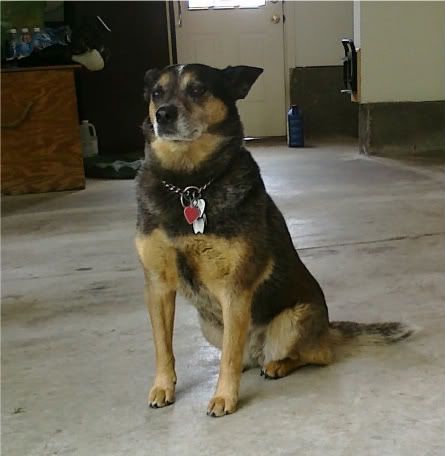
Tootsie posing for Pre - no flash

_


A convoluted way to make FREE overseas phone calls

Posted By on June 6, 2009

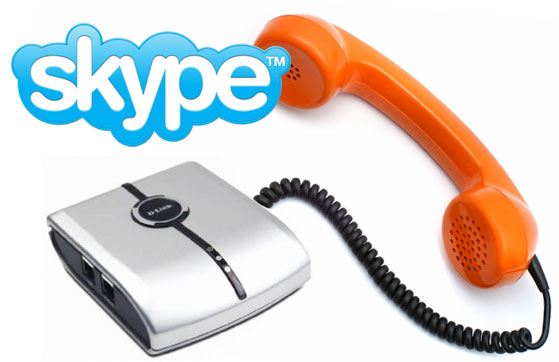
Skype DLink to PhoneHere’s a “How-To” technique for making FREE computer to “phone” calls (not computer to computer) from overseas to any U.S. phone number. Its more the penny pincher in me which enjoys finding a way to use technology than the actual dollar savings since it hardly seems worthwhile for the few calls I “really” need to make. Still, when compared using the convenient — yet expensive ($1.50 min) Mobal.com GSM cellphone, making a call from computer to phone sounds pretty good.

Here is what I’m planning …

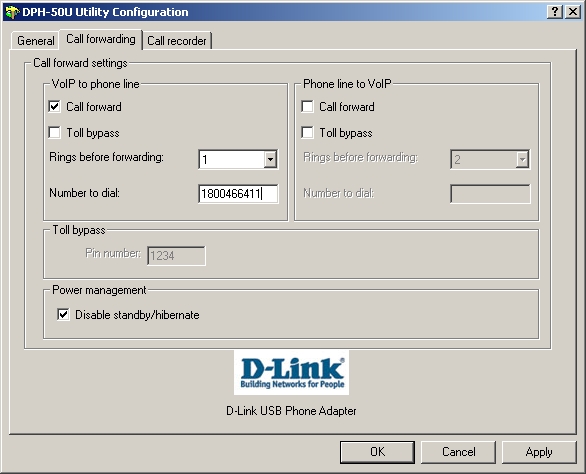
While using my notebook computer at an Internet cafe, hotel or hotspot location, I’ll remote into the desktop back in the U.S.  running Skype and a D-Link Phone adaptor. I’ve found that the easiest way is to use GoToMyPC, LogMeIn, etc type services … some with free service or at minimum trials. Using remote desktop, it is easy to modify the new D-Link DPH-50U‘s control panel used to connect the Skype computer to standard phones. Under the “Call Forwarding” tab (below), I can modify the “Number to Dial” (currently GOOG411) to the phone I wish to dial. After checking the “Call Forward” box I hit “Apply” and now incoming Skype calls will be routed to this phone number.

DPH-50U Utility

Next I use a separate Skype account to ‘dial’ my desktop PC in the U.S. and listen  to the forwarding after one normal Skype ring (ring number can be changed). The call is made using the standard phone line (no Long Distance in U.S. on my line) and the semi-conference call is made — Skype to Skype to Phone. So far in my testing, the calls have been clear and I’ve only noticed a slight loss of volume — but the calls are FREE and do not require the purchase additional Skype credits or Skype-out subscription plan.


John Kasich for Governor in 2010

Posted By on June 5, 2009

Q: How do we improve life for Ohio residents, attract business and bring jobs to our state?
A: With smaller government, lower taxes and by electing John Kasich (@John Kasich) to serve as governor in 2010.

kasichforohio.com


A few more thoughts on the Palm Pre as June 6th nears

Posted By on June 4, 2009

As a long time Palm OS user from Palm Pilots to Handspring Visors to Samsung i500 phones (my mother is currently using it) to the latest Treos and Centros … I’m waiting … and waiting … for the new Web OS … and waiting for a new physical keyboard PDA smartphone. The Palm Pre is almost here.

After reading and listening to Walt Mossberg (WSJ link) talk about the lack of an App Store, I started to wonder why it is really such a big deal? Frankly most business users want a smartphone to handle normal business tasks and need a good contact manager, calendar, some text messaging and strong email ability.

palm pre keyboardIt would be nice to have a few fun gadgets like music and video … or even a game or two for entertainment, but that’s not necessary really. Perhaps it is because I don’t have a iPhone that I’m not all that interested in the “App Store” thing and will be just as happy to have a few good quality productivity enhancers that help handle normal business tasks.

My biggest concern is the lack of a memory card for the growing sizes of data as video, music, podcasts and mapping databases come to mind. I’m sure I’ll want to store additional programs since not everything is going to run wirelessly from the cloud and I assume that the normal OS bloat will eventually come Palm Pre’s way. Even the iPhone is now doubling their  memory … and frankly speaking as cheap as memory is nowadays, I’m shocked to only see 8GB on the Pre? (I suspect generation 2 is not all that far away?)

Thankfully I’m a Sprint (only carrier this year) customer with very good 3G coverage almost every where I regularly travel (except Europe this summer) and have been ready to retire my trusty Palm Treo 700p … although would have probably been happy with a Blackberry realizing what I use a smartphone for; that said, unlike the iPhone I be glad to able to be able to open an “flick through” multiple programs, use a physical keyboard to enter text or handle emails, replace the battery if need be and still be able to slip a smooth skipping stone looking smartphone into my pocket. Stay tuned … June 6th is coming.

Palm Pre iphone compared

_

Rocketchip Tuning Session at Jon’s Auto June 13, 2009 at 8 AM

Posted By on June 3, 2009

Don’t miss the tuning session on Saturday June 13th if your Volkwagen TDI diesel needs a bit more get up and go. Jeff Robinson from Rocketchip will be at Jon Hamilton’s garage working his magic.  Be early if you don’t want to wait.

Jon’s Auto LLC is proud to present the return of Jeff from “Rochetchip” to our newly remodeled shop. The event will be held on Saturday June 13, 2009 @ 8 AM. We will be doing chip tuning, injector installs and other minor work if necessary.

This will be first come first serve event or you may drop off your car and avoid the wait.

Tuning session location is: Jon’s Auto LLC, 22291 Route 4, Marysville, Ohio 43040. It is on the northwest side of Columbus, Ohio.

Android to be an available OS on Acer netbooks

Posted By on June 2, 2009

Android logoInternet giant Google continues to make it presence known as they have landed Acer, Inc,  the world’s third largest computer maker,  as a client for its Android Operating System.  They will be shipping a new netbook PC in the third quarter this year with a competitive OS to Microsoft’s windows or open source Linux OS. Netbooks are the new sub $500 very portable PCs that are selling well in a weak economy; these small computers provided decent access to the Internet and fair performance for portable computing needs.

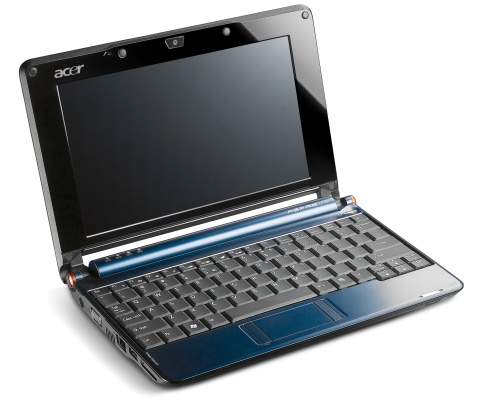
Acer Aspire One

Acer to Produce Netbook Using Google Operating System

Taiwan-based Acer, the world’s third-largest personal-computer maker by revenue, on Tuesday said it will start shipping the new netbook PCs in the third quarter. The move comes as Acer and other companies, including larger rivals Hewlett-Packard Co. and Dell Inc., try to diversify their offerings of netbooks — small, inexpensive laptop computers that are increasingly popular.

Microsoft’s Windows software remains by far the most widely used operating system for PCs, but the growing use of mobile devices is threatening to erode that dominance. Google unveiled Android last year for smart phones, an area in which Microsoft has struggled to replicate its success with Windows. In recent months, the Google software also has made apparent inroads into the PC segment, with several other major companies, including H-P and Dell, indicating they are considering using Android in netbooks. Acer is the first major PC maker to formally unveil an Android-based netbook.

A weekend of computer related woes

Posted By on June 1, 2009

It has not been a good weekend for computers under my care and I’ve been punished by fate for over-confidence in the new Windows 7 RC release … and in my “lack of appropriate backups” on my Mac. First, I started the process of preparing to update a couple computer from the Windows 7 Beta that I’ve raved about to the release candidate. Unfortunately this update is a clean install and the first computer I attempted this on was my wife’s 5-6 year old Dell Inspiron notebook. The Windows 7 install went well, but the driver reinstall went poorly; in fact, no recognition of the wireless card, the network card or the monitor driver. After a few minutes of hunting around on my other computer Saturday morning I gave up and the weather was too nice to be rebuilding computers.

Second, we had a series of storm roll though and although power was never lost, the external hard drive connected to my Mac either had a power loss or power surge as it was writing to the drive (I’m assuming). Upon restart, the drive will not mount. Standard disk utilities will not recognize the drive and suggests to reformat (initilize) the drive. I’ve tried a couple of other programs such as Drive Genius and DiskWarrior to no avail. This might be a good quesiton for Tuesday’s WMUB HelpDesk podcast?

Susan Boyle comes in 2nd in Britain’s “Got Talent 2009”

Posted By on May 30, 2009

Although I don’t watch the “idol” shows, I would be remiss in not archiving something on my blog about the Scottish singer and Internet sensation Susan Boyle on the British program “Got Talent 2009.” (and although she scored a 2nd place overall, she is tremendously talented and captured the world’s attention)

The Volkswagen Sportwagen will see a new face for 2010

Posted By on May 29, 2009

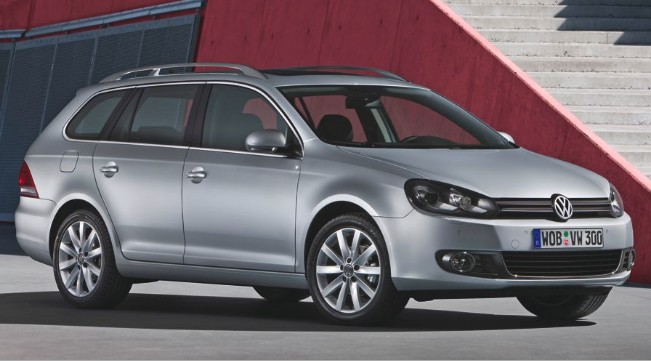
2010 Volkswagen Sportwagon facelift

According to VW of America spokesman Steve Keyes, the 2010 North American version of the European Golf wagon, the VW Jetta Sportwagen, will see a facelift this fall.  Keyes told Autoblog: “In order to simplify production, we’ll make the change to our Jetta and as an added benefit, we believe the customers will appreciate the differentiation from the current sedan.”

The updated Jetta sedan will likely arrive in 2010 or ’11 sporting the new corporate face.

Desultory - des-uhl-tawr-ee, -tohr-ee

  1. lacking in consistency, constancy, or visible order, disconnected; fitful: desultory conversation.
  2. digressing from or unconnected with the main subject; random: a desultory remark.
My Desultory Blog